
Case study · our own SaaS product
SolarFlow: solar ERP and CRM built around the subsidy
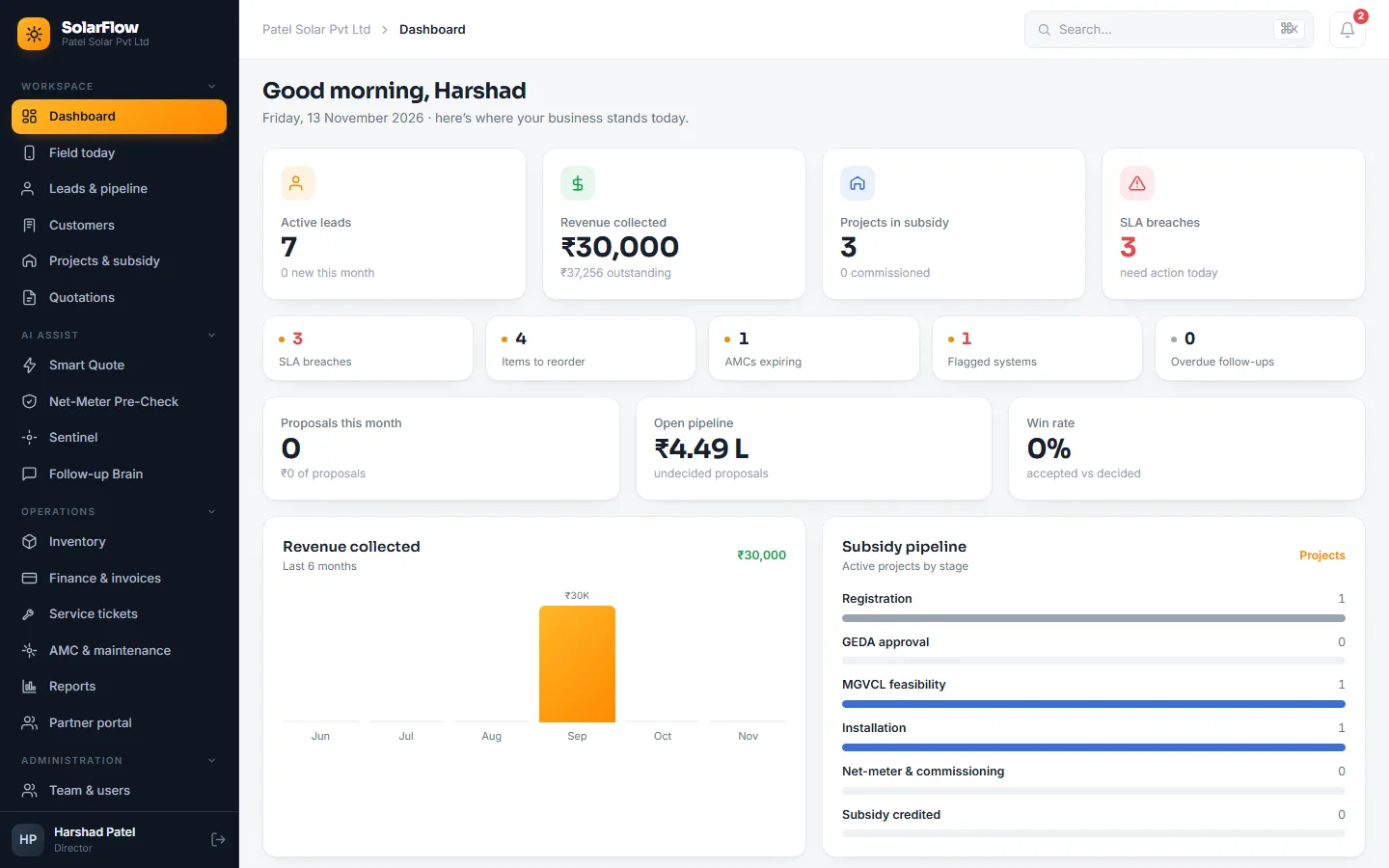
For a rooftop-solar installer in Gujarat, the business runs on PM Surya Ghar. SolarFlow follows every customer from the first enquiry to the subsidy reaching their account, with leads, surveys, quotations, GST invoicing, stock and service in the same system, and four AI assistants that read bills, check applications, spot failing systems and chase quiet leads.
In short
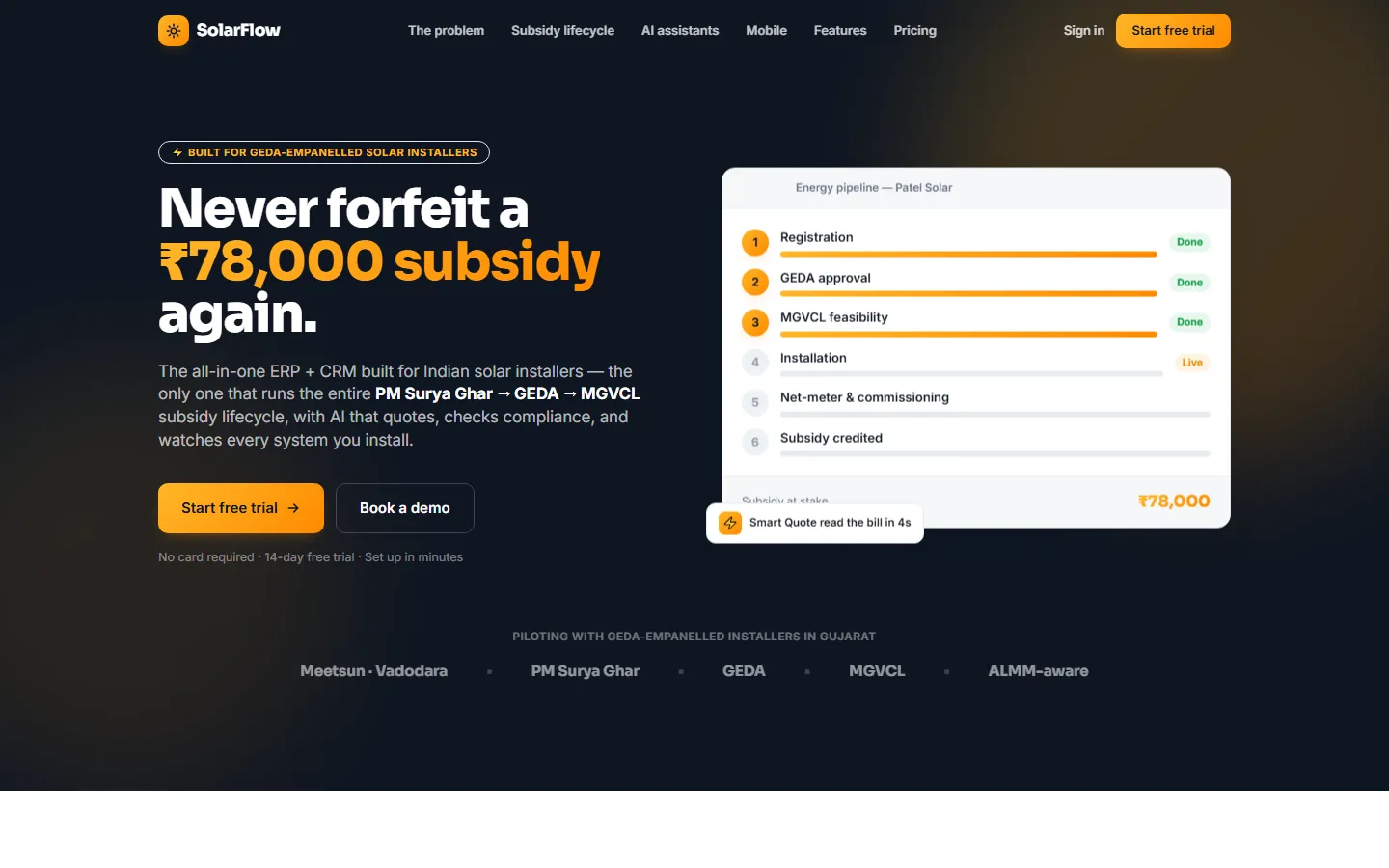
SolarFlow is a multi-company SaaS ERP and CRM for rooftop-solar installers in India, designed and built by Digital Web Weaver. It tracks each project through the PM Surya Ghar, GEDA and MGVCL subsidy stages with compliance checks at every step, and covers leads, proposals, GST invoicing, inventory, service and AMC. It was built first for GEDA-empanelled installers in Gujarat and is being piloted with an installer in Vadodara.
// the problem — the subsidy decides the sale
Why installers needed solar-native software
Under PM Surya Ghar a household can get up to ₹78,000 back, but only if registration, GEDA approval, MGVCL feasibility, ALMM-listed panels, net-metering and commissioning all go right. Most installers track this in WhatsApp groups, Excel and a register.
One slip costs the subsidy
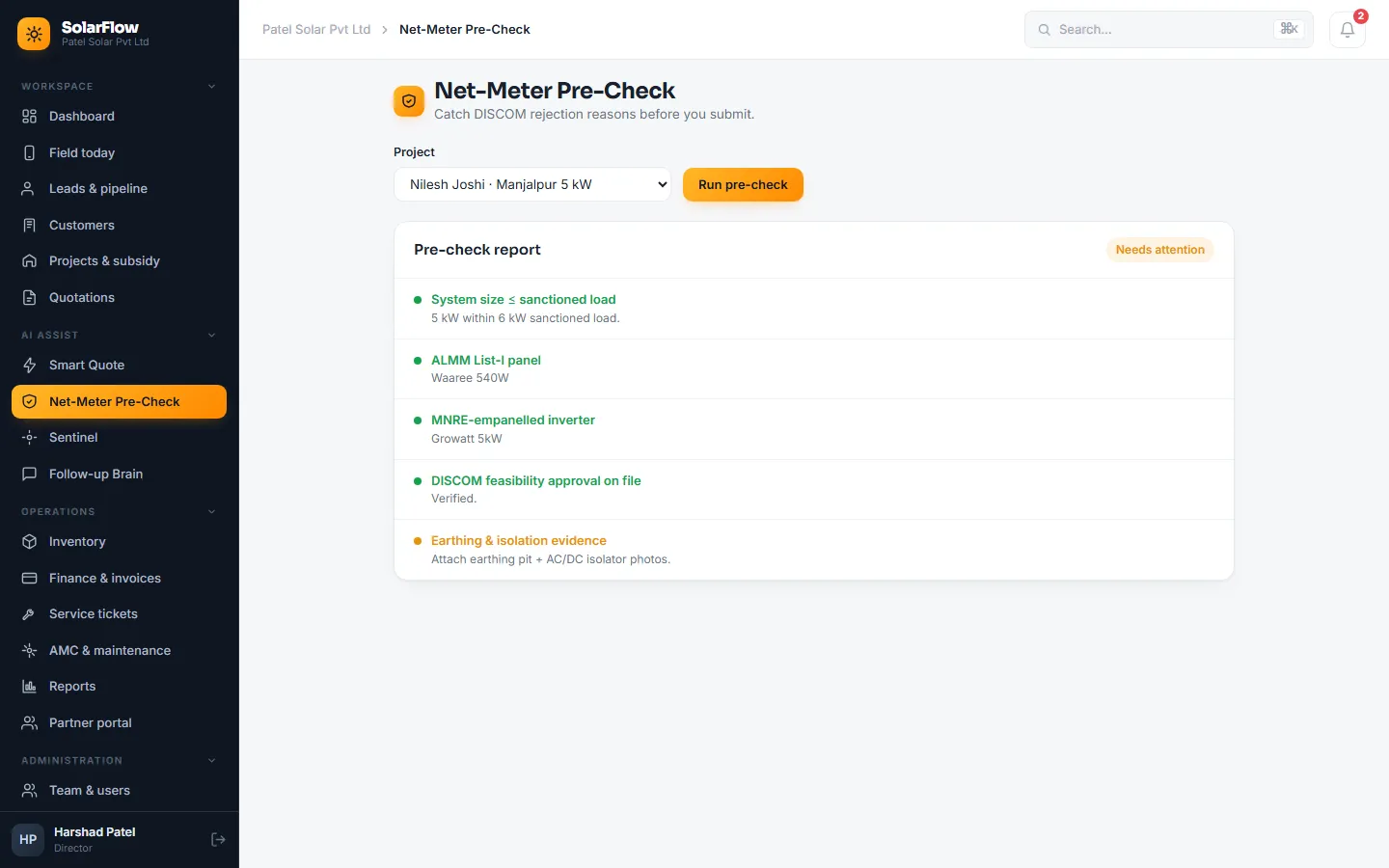
A panel that isn't ALMM-listed, a system above the sanctioned load or a missing earthing photo gets the net-metering application rejected, and the customer blames the installer.
Leads go cold
Enquiries come from Meta ads, JustDial, IndiaMART and referrals. Nobody knows who to call today, and follow-up stops after the first call.
Quoting is slow
Someone reads the electricity bill, sizes the system, applies the subsidy, works out the EMI and types a proposal for every enquiry.
Systems fail silently
An inverter trips and the panels produce nothing for weeks, until the customer sees a high bill and calls, angry.
Existing software doesn't fit
Solar CRMs are either expensive US products or simple lead trackers. None handles India's subsidy and DISCOM process.
// what we built — enquiry to commissioning and after-sales
One system, with the subsidy built into the core
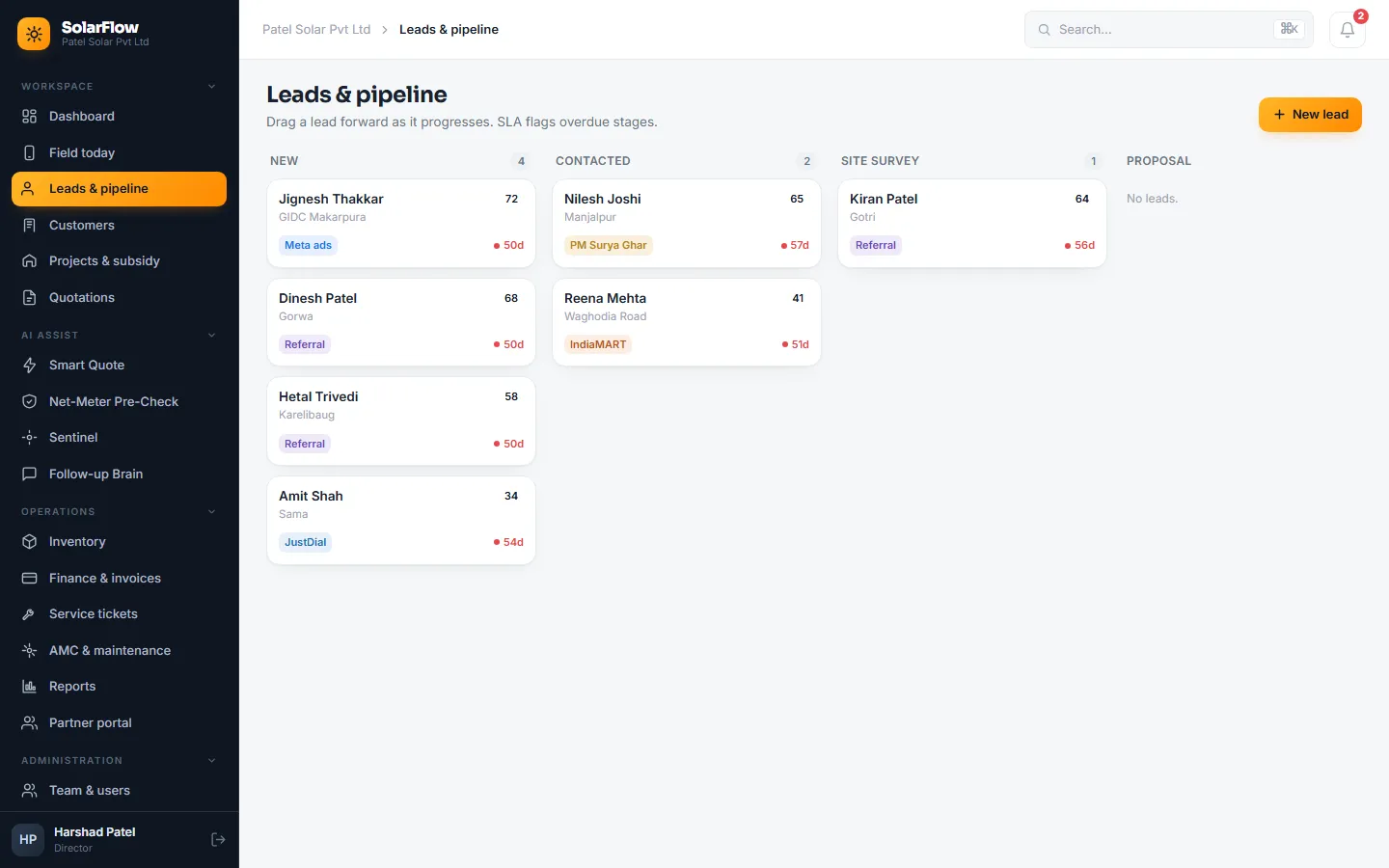
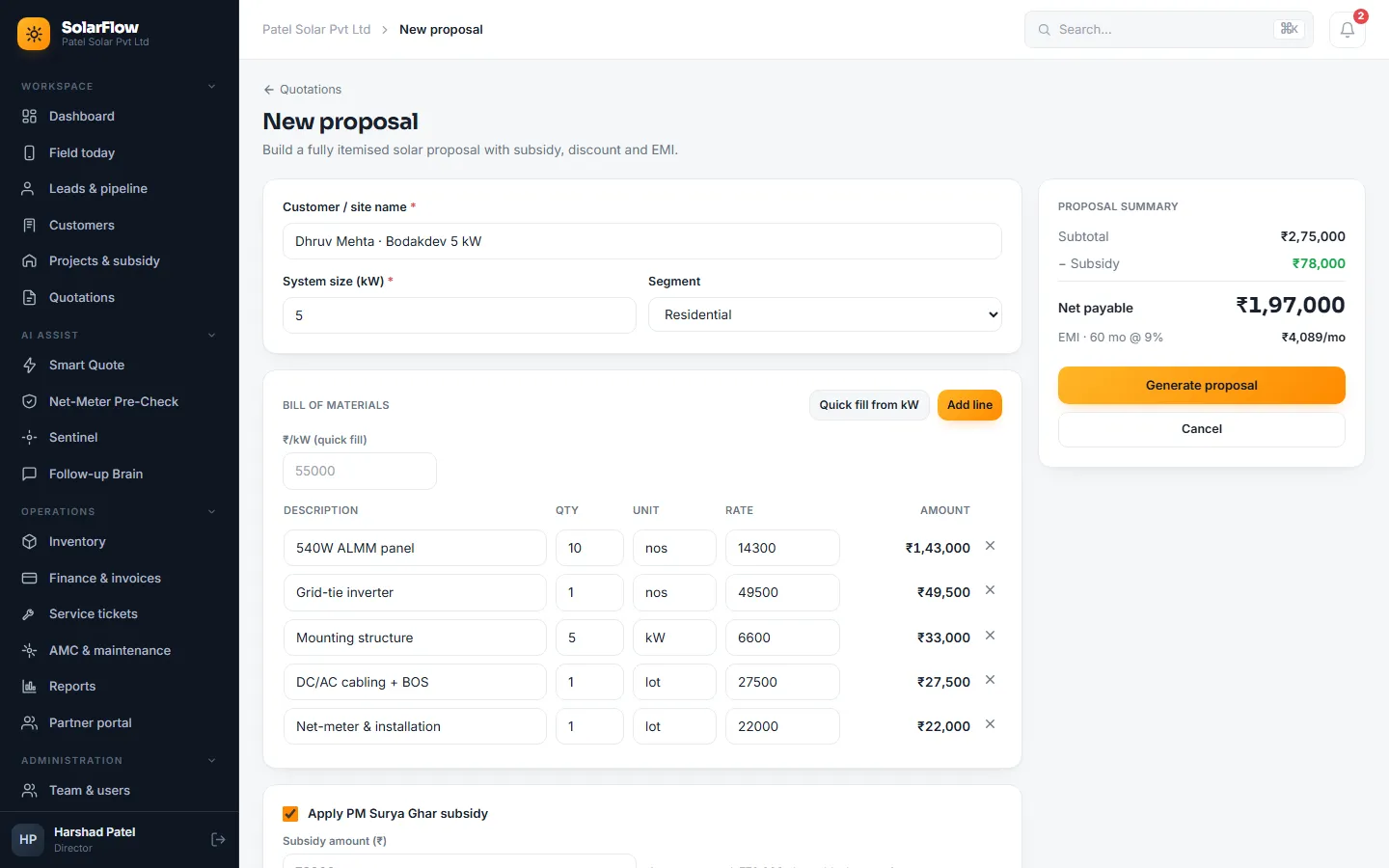
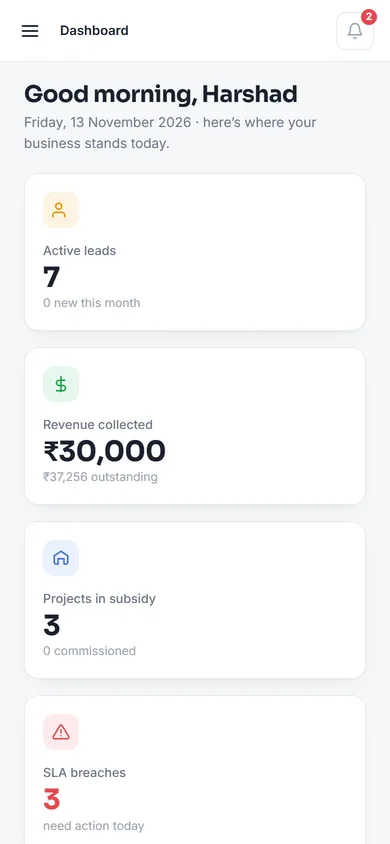
Screenshots show two made-up installers, "Patel Solar Pvt Ltd" and "GreenVolt Energy". Every customer, number and amount in them is demo data.
01 · Sales
Leads, customers and proposals
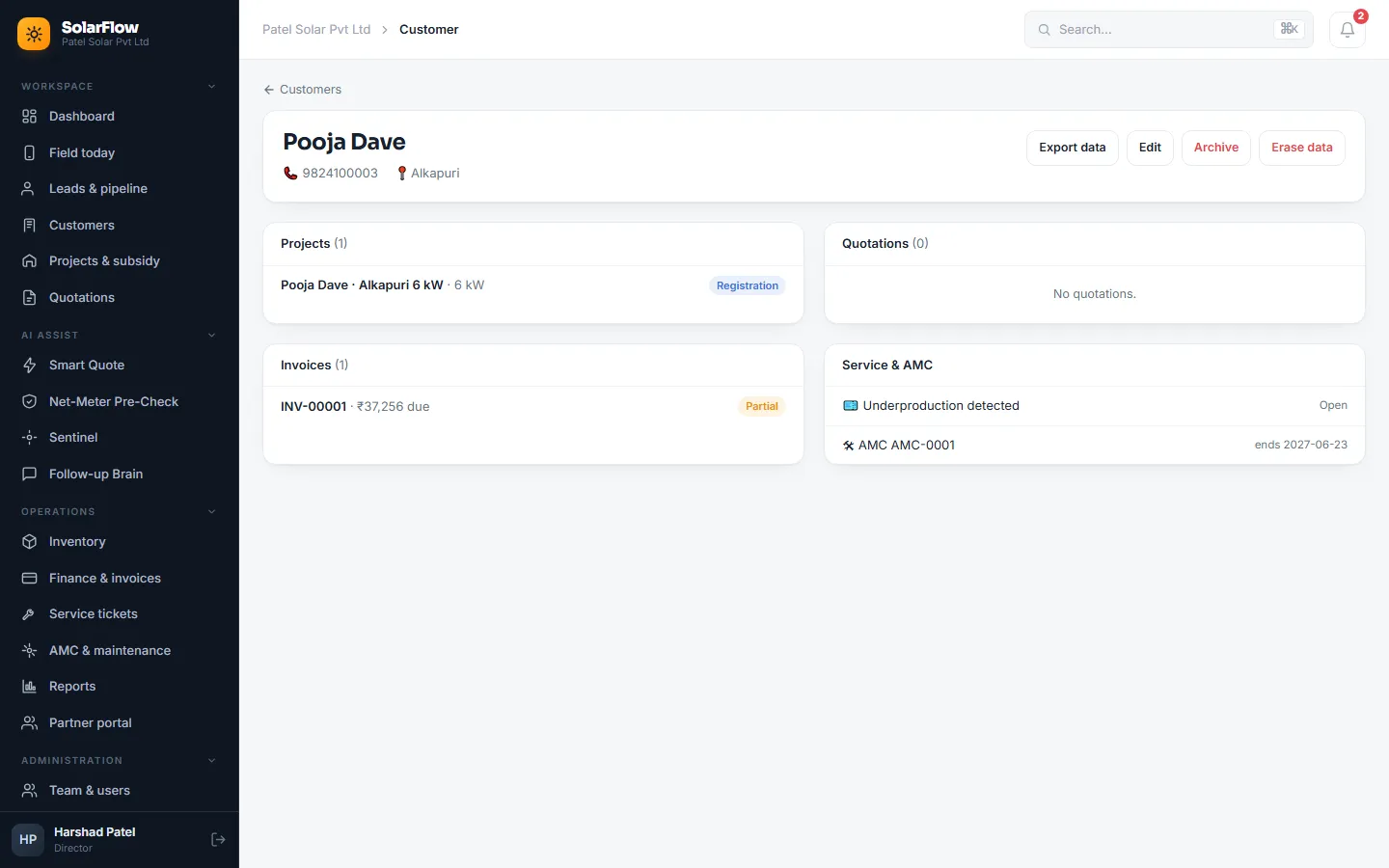
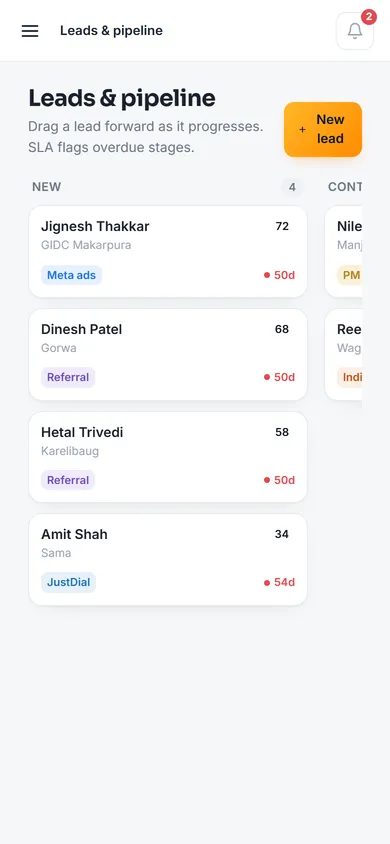
A drag-and-drop lead board (new, contacted, site survey, proposal, won or lost) scores every lead, shows its source and marks any lead that has sat too long at a stage. Customer 360 puts each customer's projects, quotations, invoices, tickets and AMC on one page.
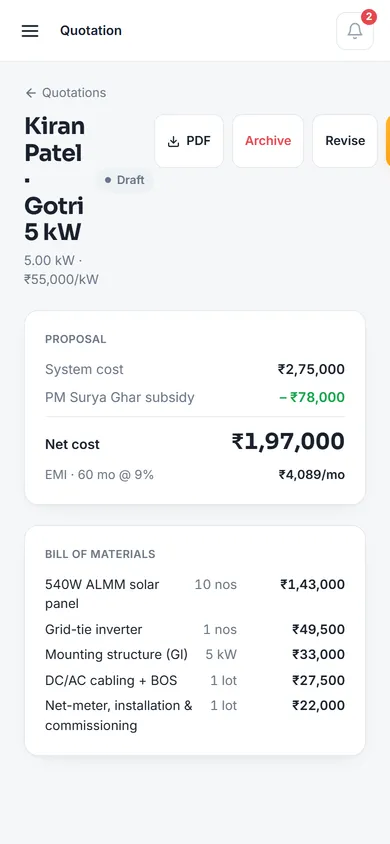
In the proposal builder, enter the system size and one click fills the bill of materials: ALMM panels, inverter, mounting, cabling and net-meter work. The subsidy, discount and EMI plan are worked out as you type, and every proposal becomes a branded PDF.
- Lead score, source and stale-stage markers
- Subsidy and EMI calculated live
- Channel-partner referrals with automatic commission
02 · Subsidy lifecycle
Six stages, none of them skippable
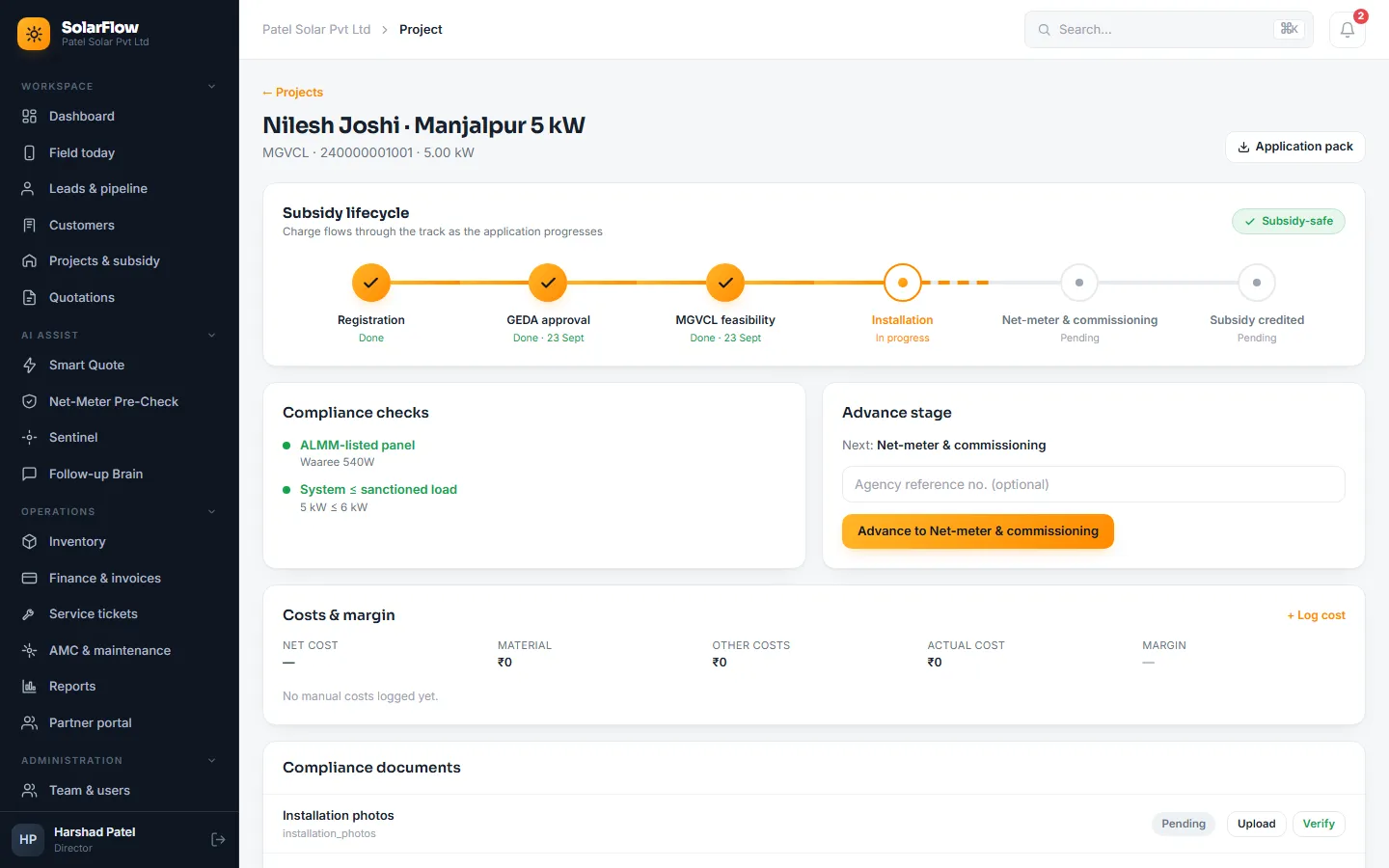
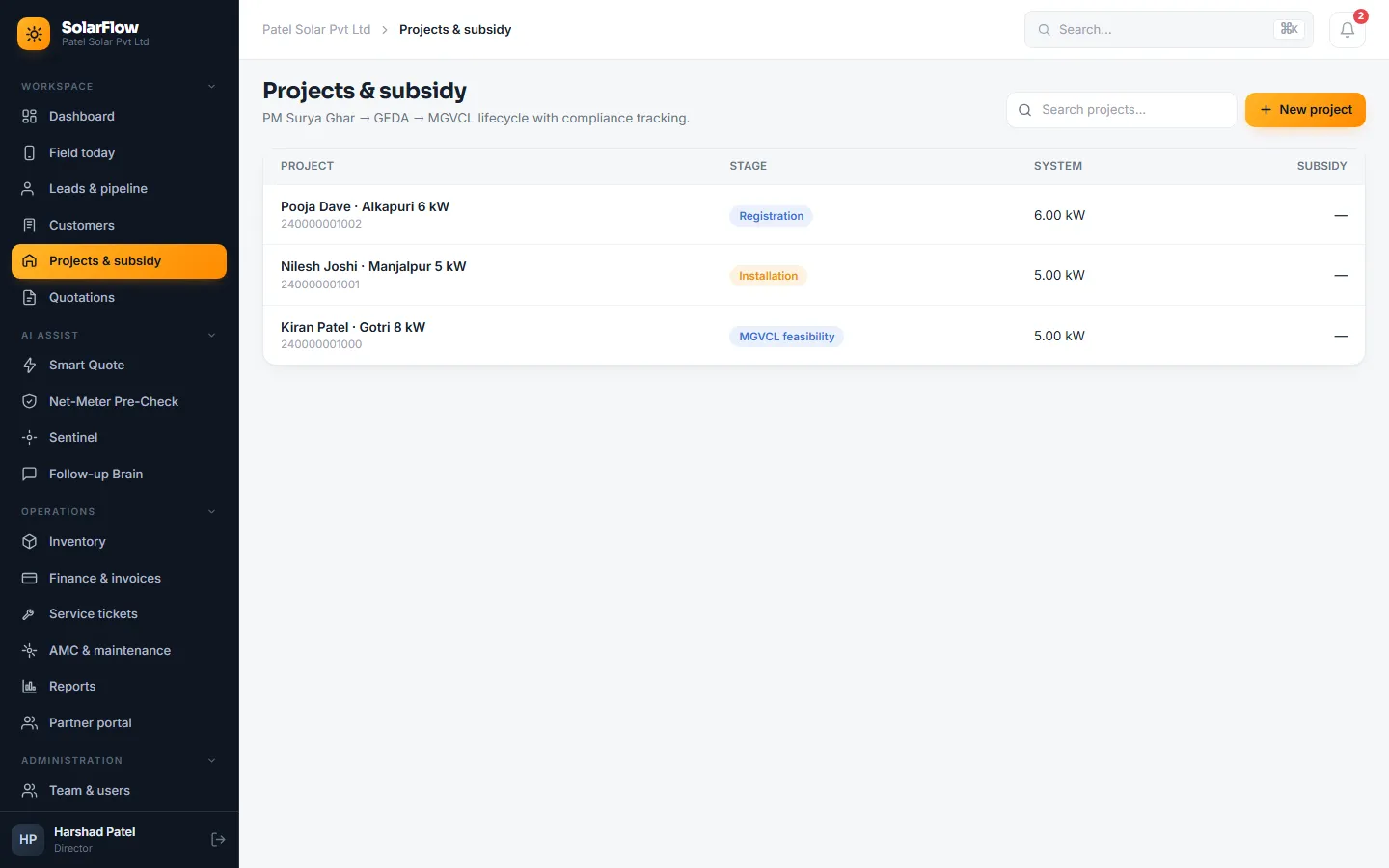
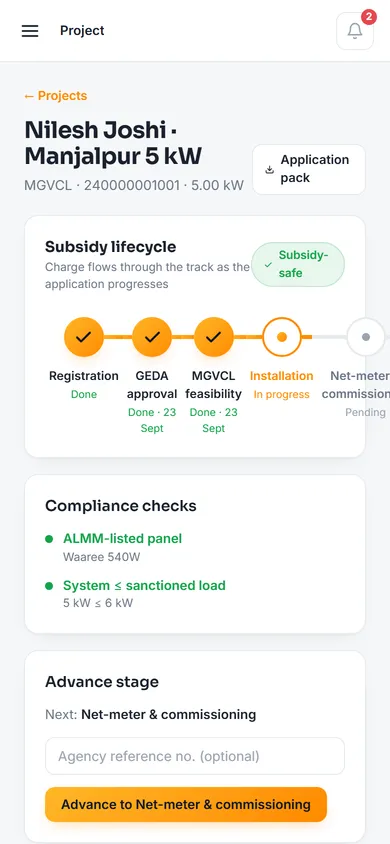
Each project moves through Registration, GEDA approval, MGVCL feasibility, Installation, Net-meter and commissioning, and Subsidy credited. A stage can't be skipped, and a project can't move on until that stage's documents are uploaded and verified.
Every project is checked for an ALMM-listed panel and a system within the sanctioned load; a project that passes shows a "Subsidy-safe" badge. One click downloads the application pack, and material and other costs are booked against the project so its margin is visible.
- Stage gates with document verification
- ALMM and sanctioned-load checks
- One-click application pack
03 · AI assist
Four assistants, every result a draft
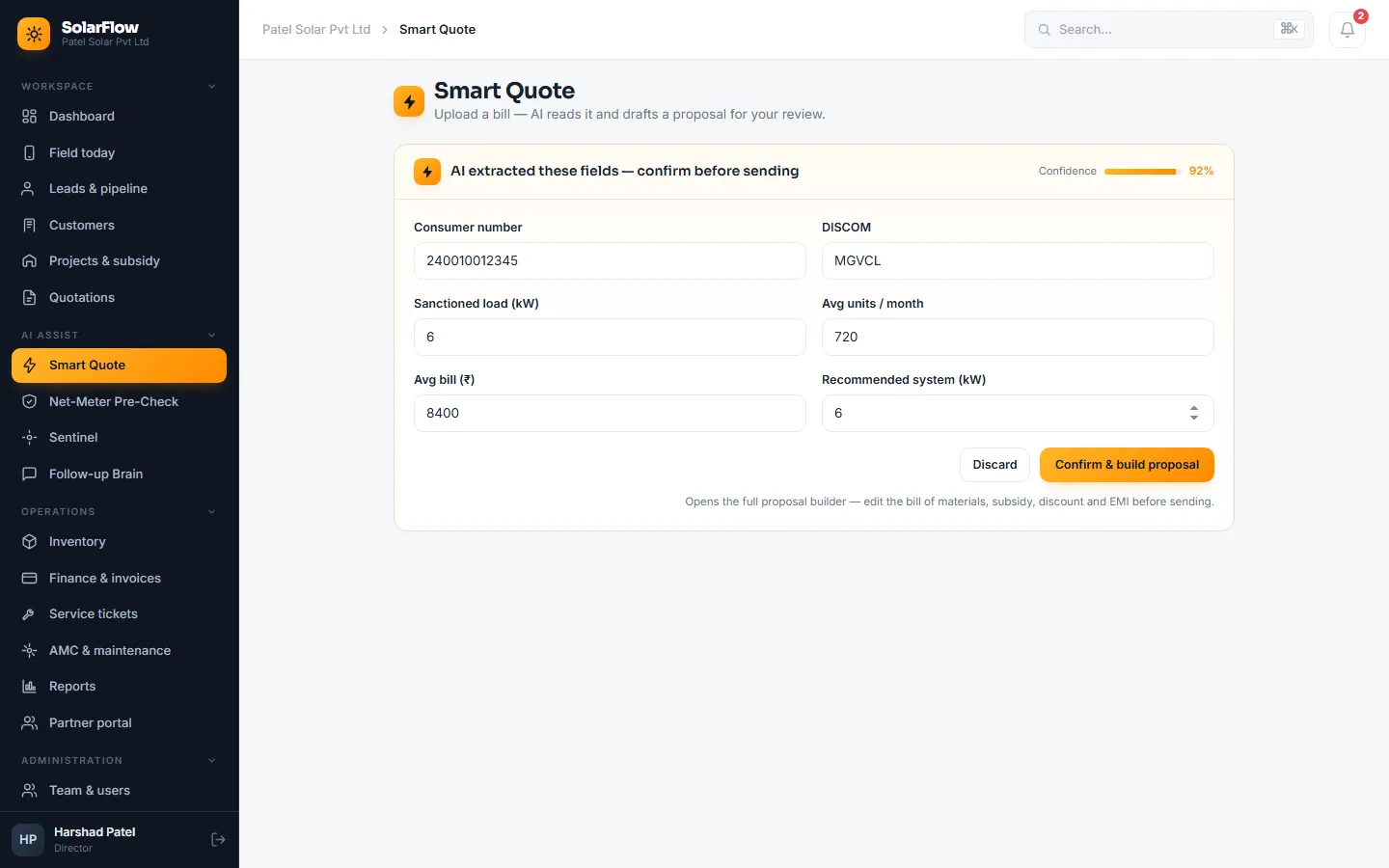
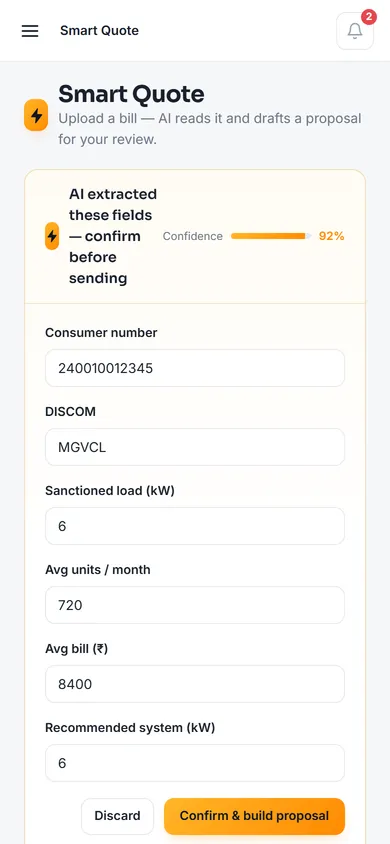
Smart Quote reads a photographed electricity bill (consumer number, DISCOM, sanctioned load, average units and bill), recommends a system size with a confidence score, and turns it into a full proposal in one click. If it can't read a bill, the screen says so and the user types the details.
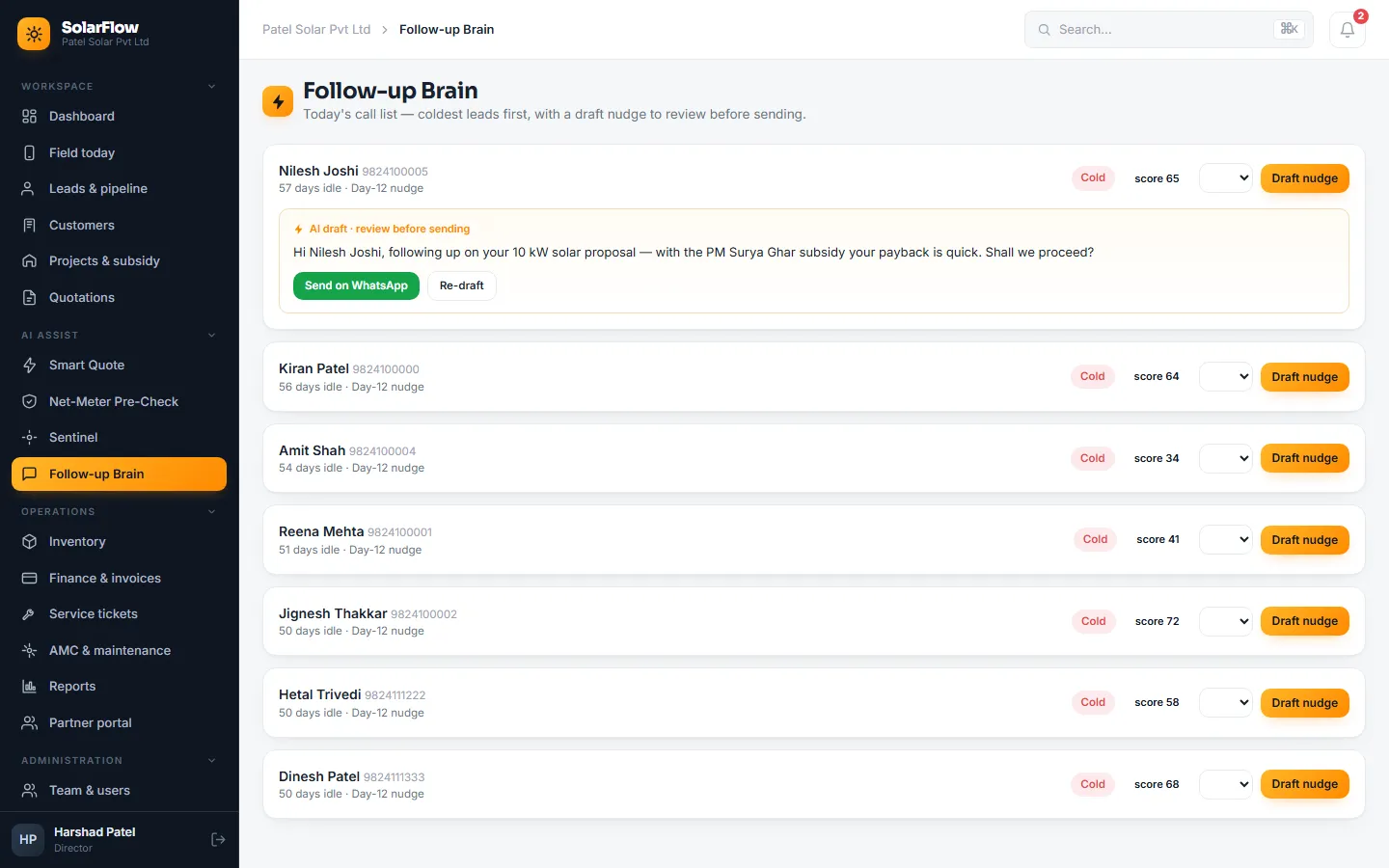
Net-Meter Pre-Check tests a project against the usual DISCOM rejection reasons before it is submitted. Underproduction Sentinel compares each system's daily generation with what it should produce and opens a service ticket when it falls short. Follow-up Brain builds a daily call list with the coldest leads first and drafts a WhatsApp nudge to review and send.
- A person reviews every AI result
- Provider and model set per company
- API keys kept out of the code
04 · Finance
GST invoices raised per milestone
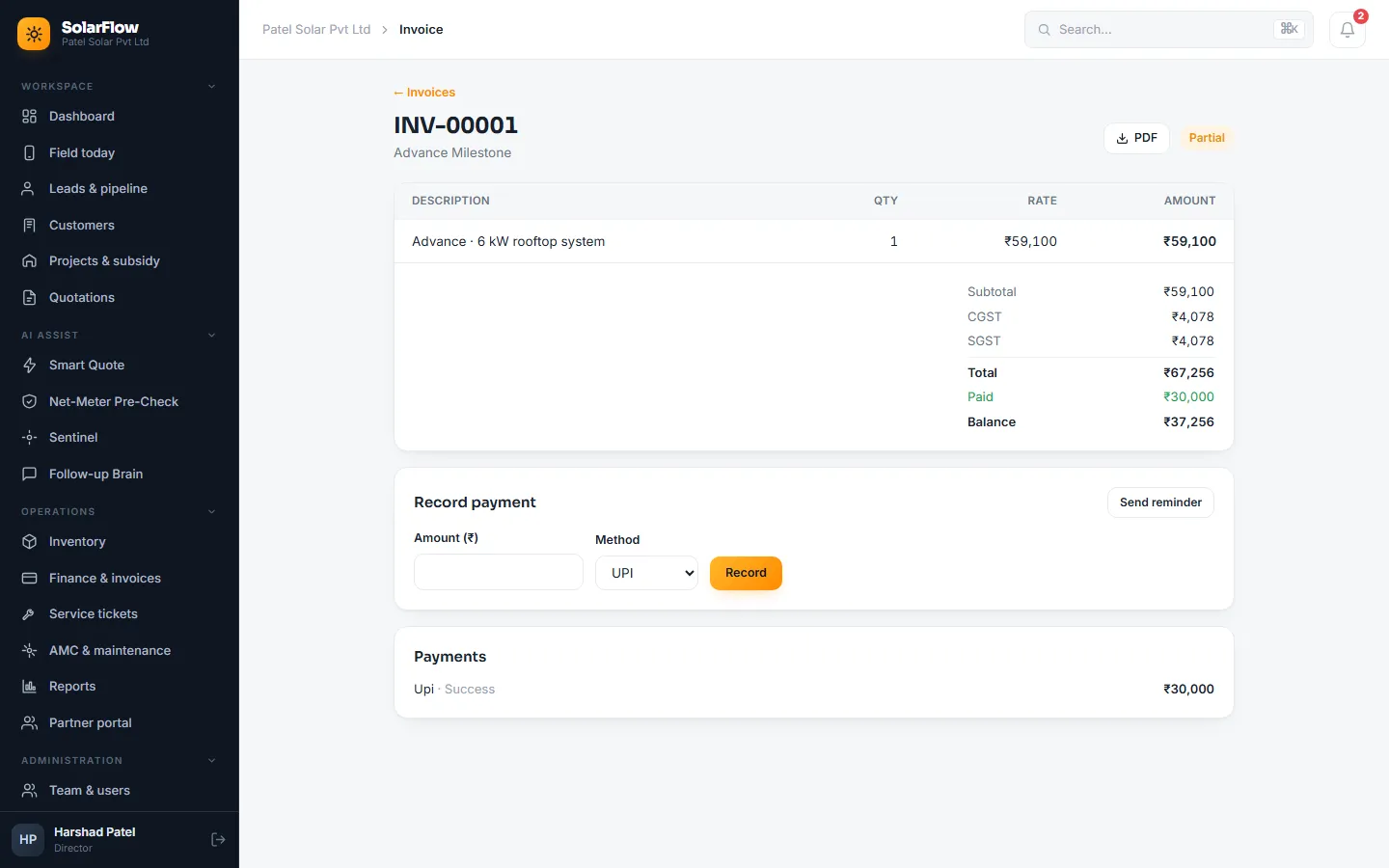
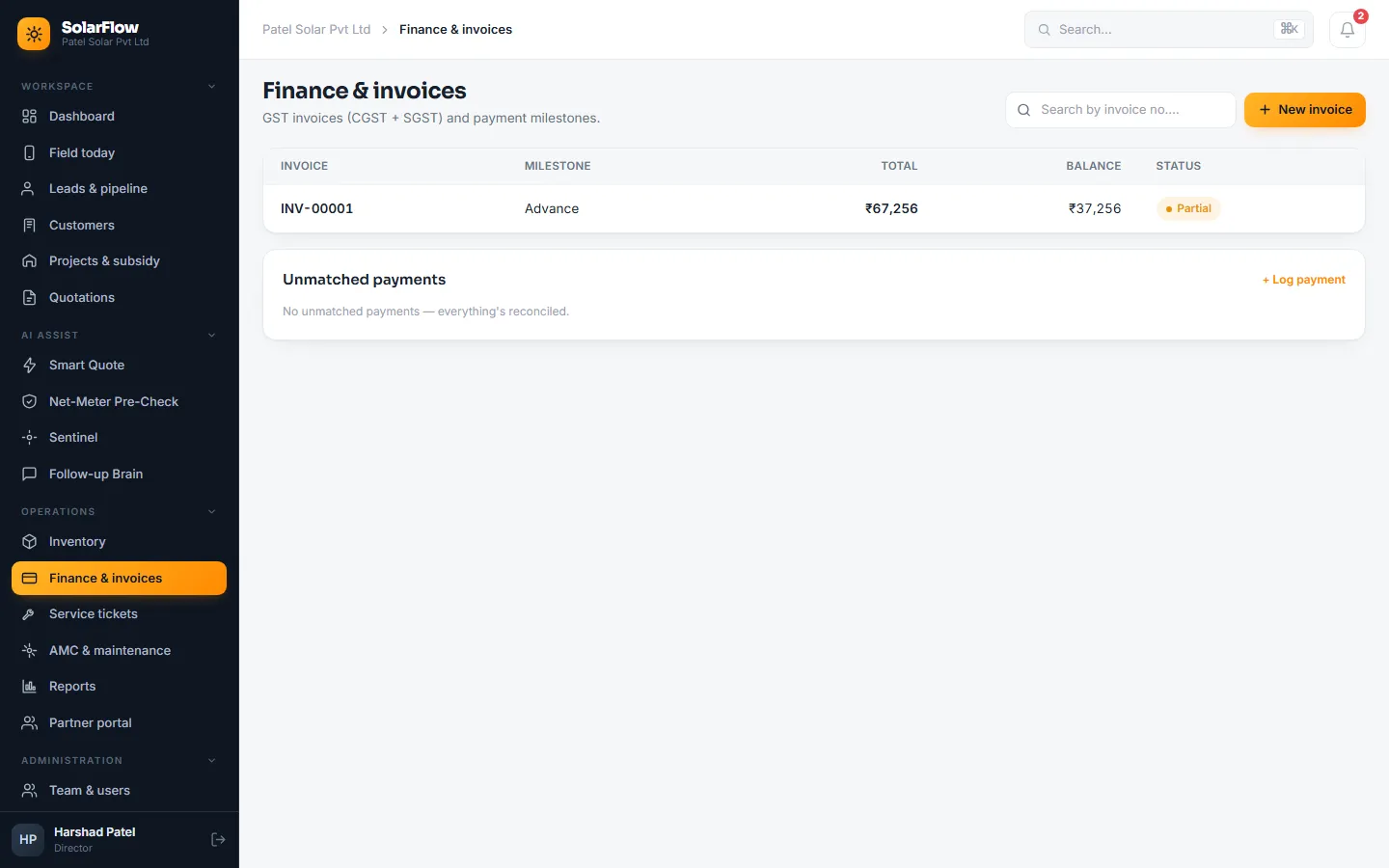
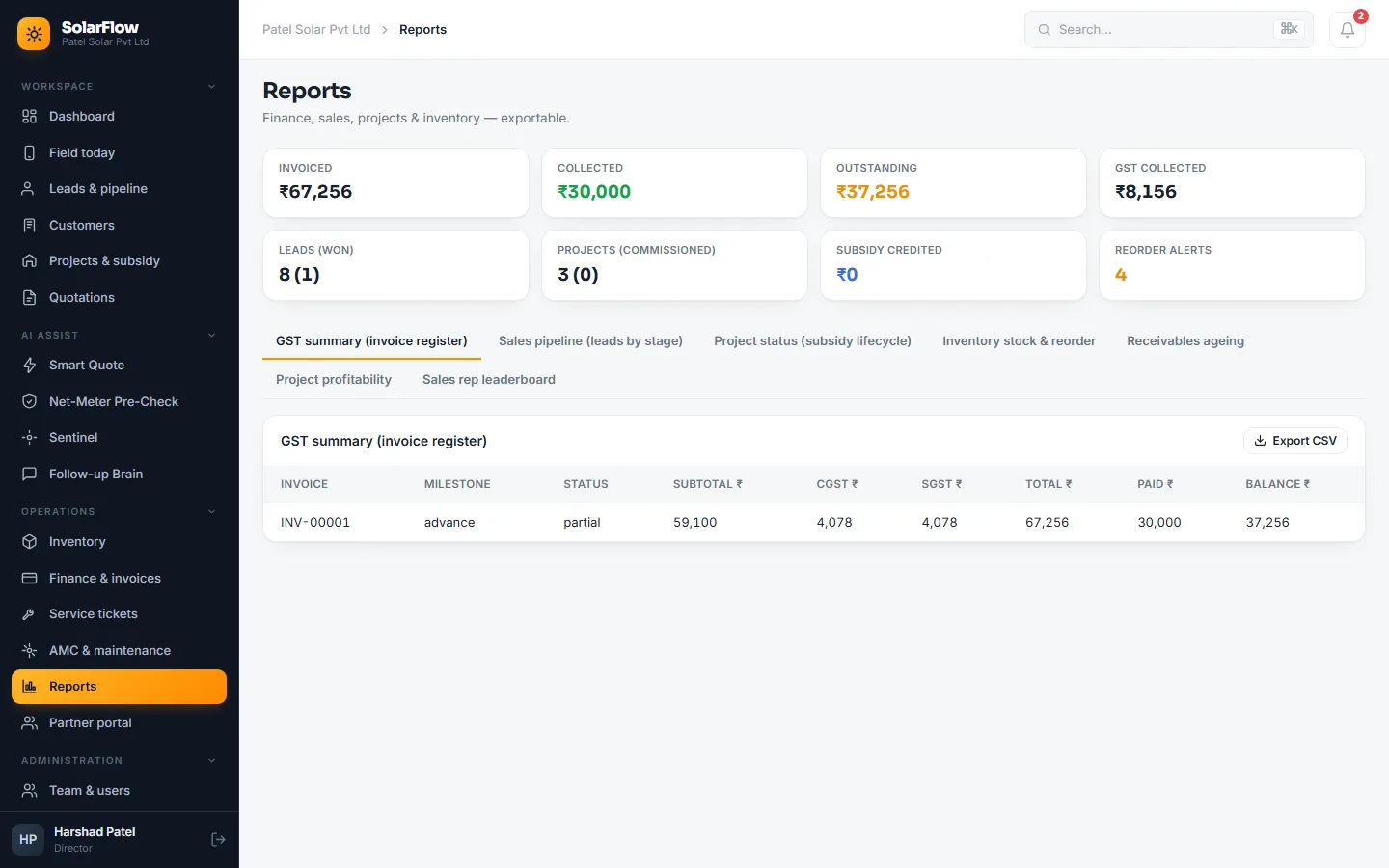
CGST and SGST for sales within Gujarat, IGST for other states, the buyer's GSTIN required for business customers, and invoice numbers that never skip or repeat. Invoices are raised per payment milestone (advance, on installation, final) and download as PDFs.
Part payments move an invoice from sent to partial to paid, overpayment is blocked, and reminders go out as invoices fall due. An unmatched bank or UPI credit is logged once, and SolarFlow suggests the likely invoice from the amount and reference.
- Milestone invoicing
- Payment matching for bank and UPI credits
- Seven reports, each exportable to CSV
05 · Inventory
Stock, serials and purchase orders
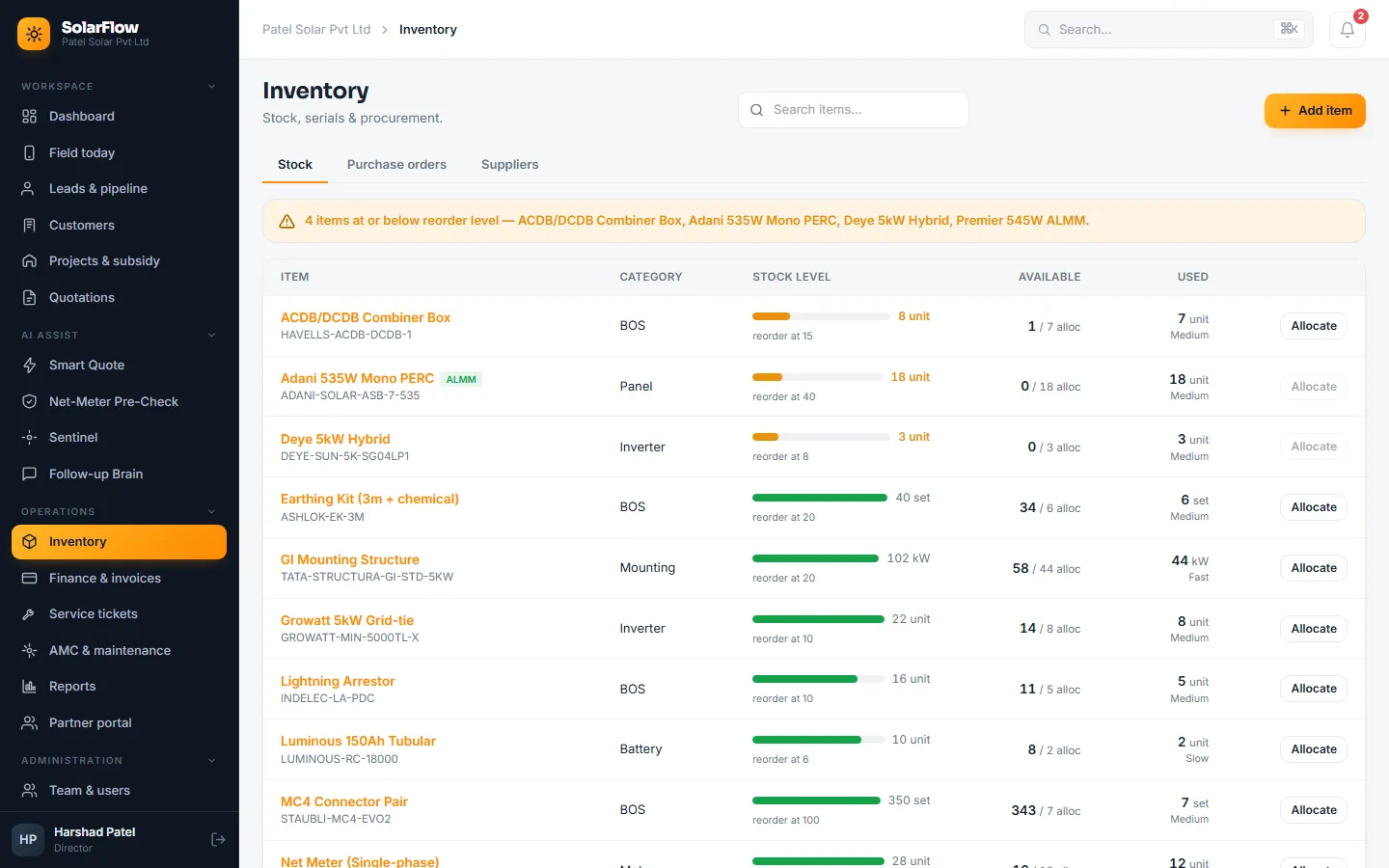
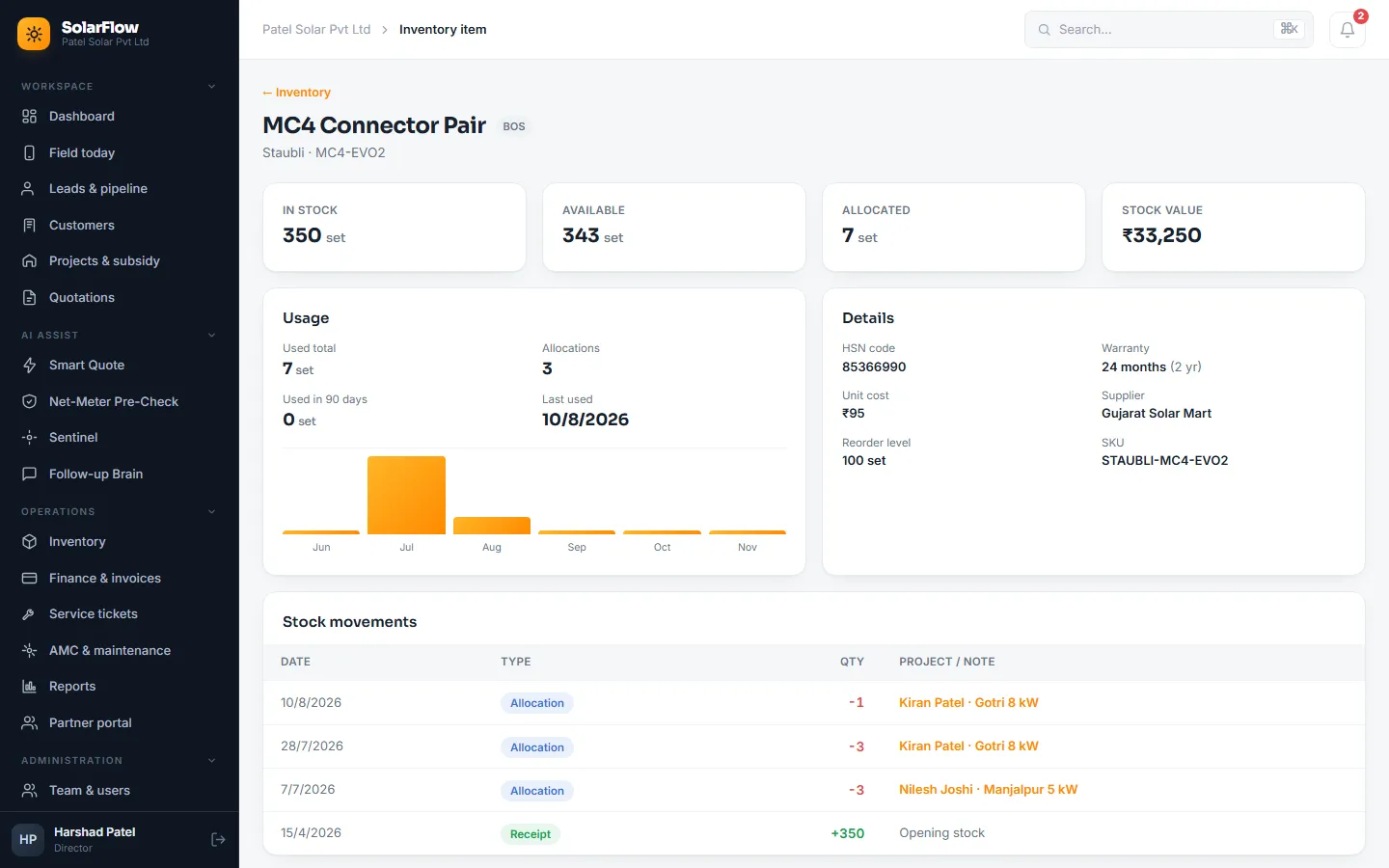
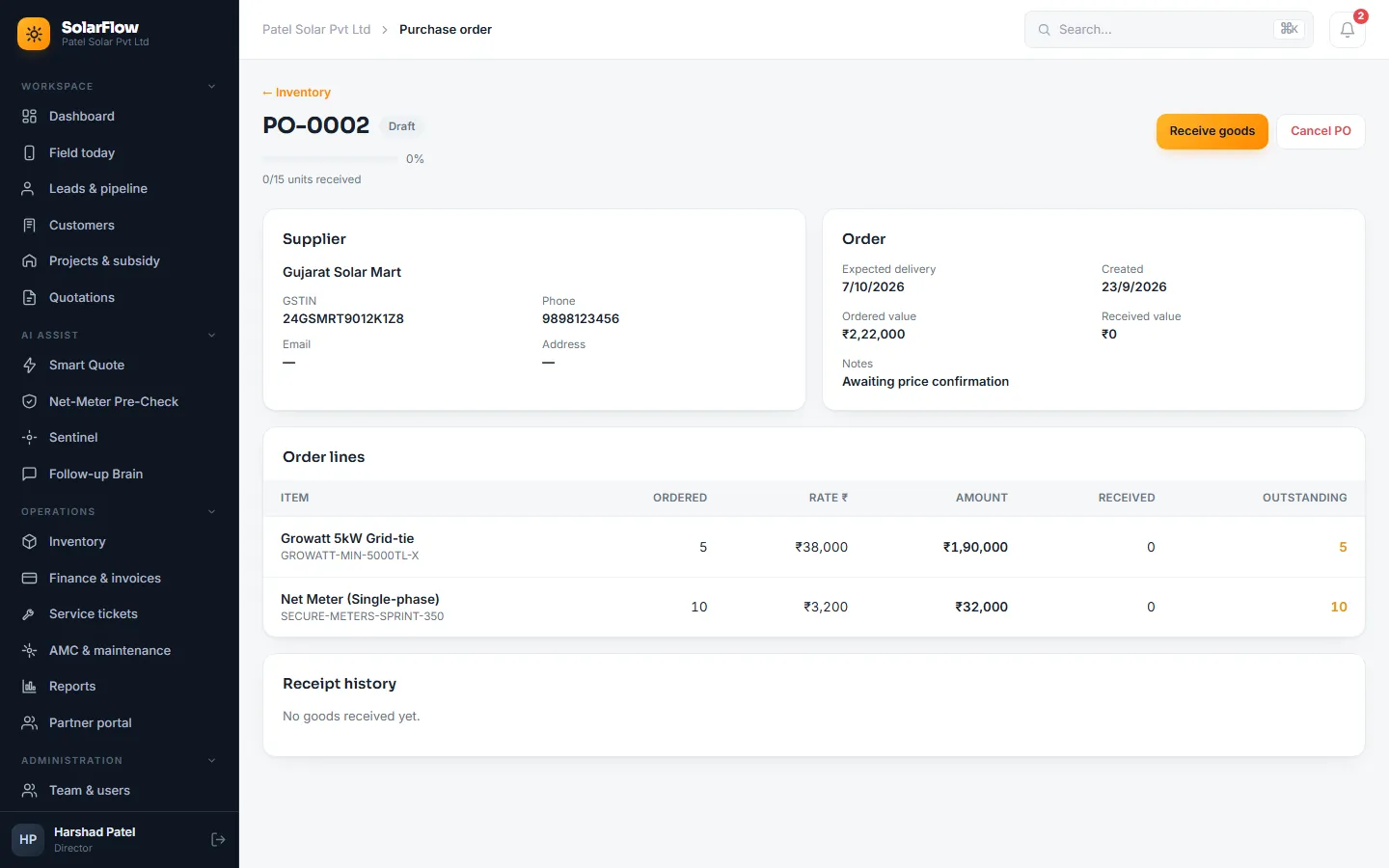
Panels, inverters, batteries, mounting and balance-of-system items with reorder alerts, ALMM tagging and usage rates. Every panel and inverter serial is recorded on arrival and tagged to the project it is fitted on, for warranty claims and ALMM proof.
Purchase orders go to suppliers and goods are received line by line, part deliveries included, with a guard against receiving more than was ordered. Every movement is logged with its cost and feeds each project's margin.
06 · Service & AMC
After-sales that runs itself
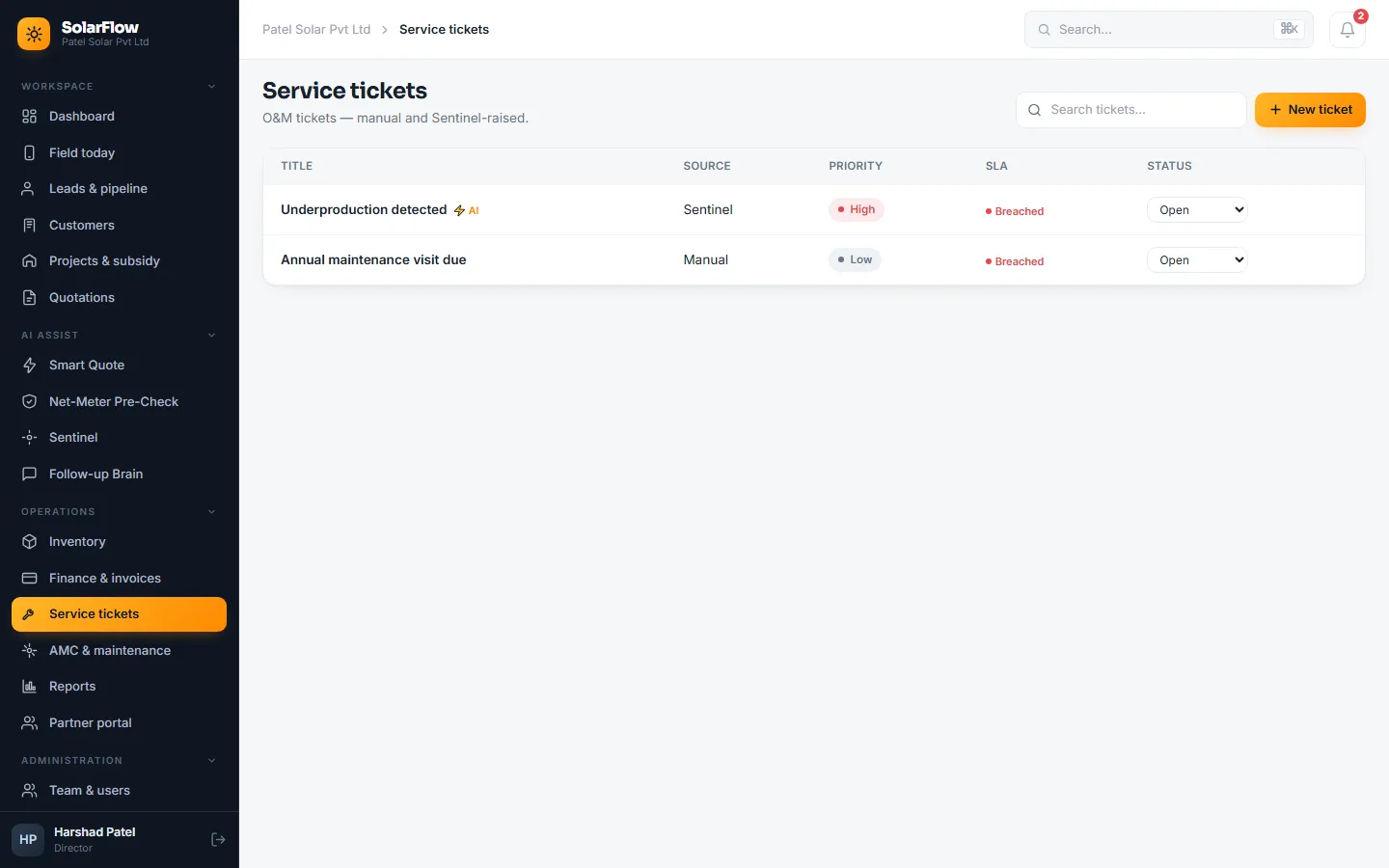
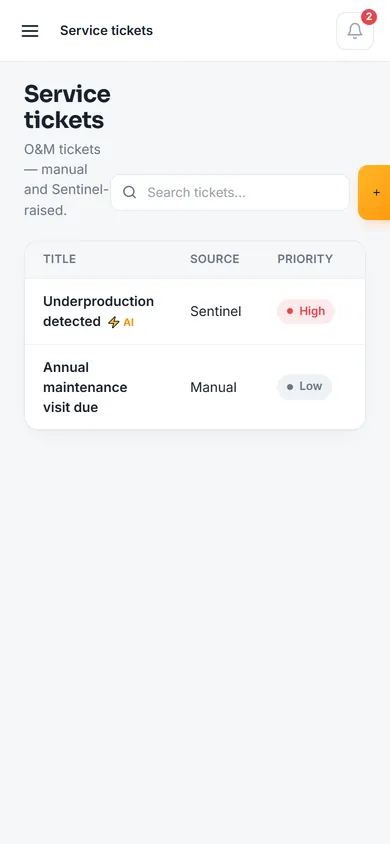
Service tickets are raised by staff or by the Sentinel, with a priority, a target response time and a red marker when that time is breached. Annual maintenance contracts schedule their visits, carry a checklist for each one, track renewal dates and open tickets as visits fall due.
07 · Field
Built for the rooftop
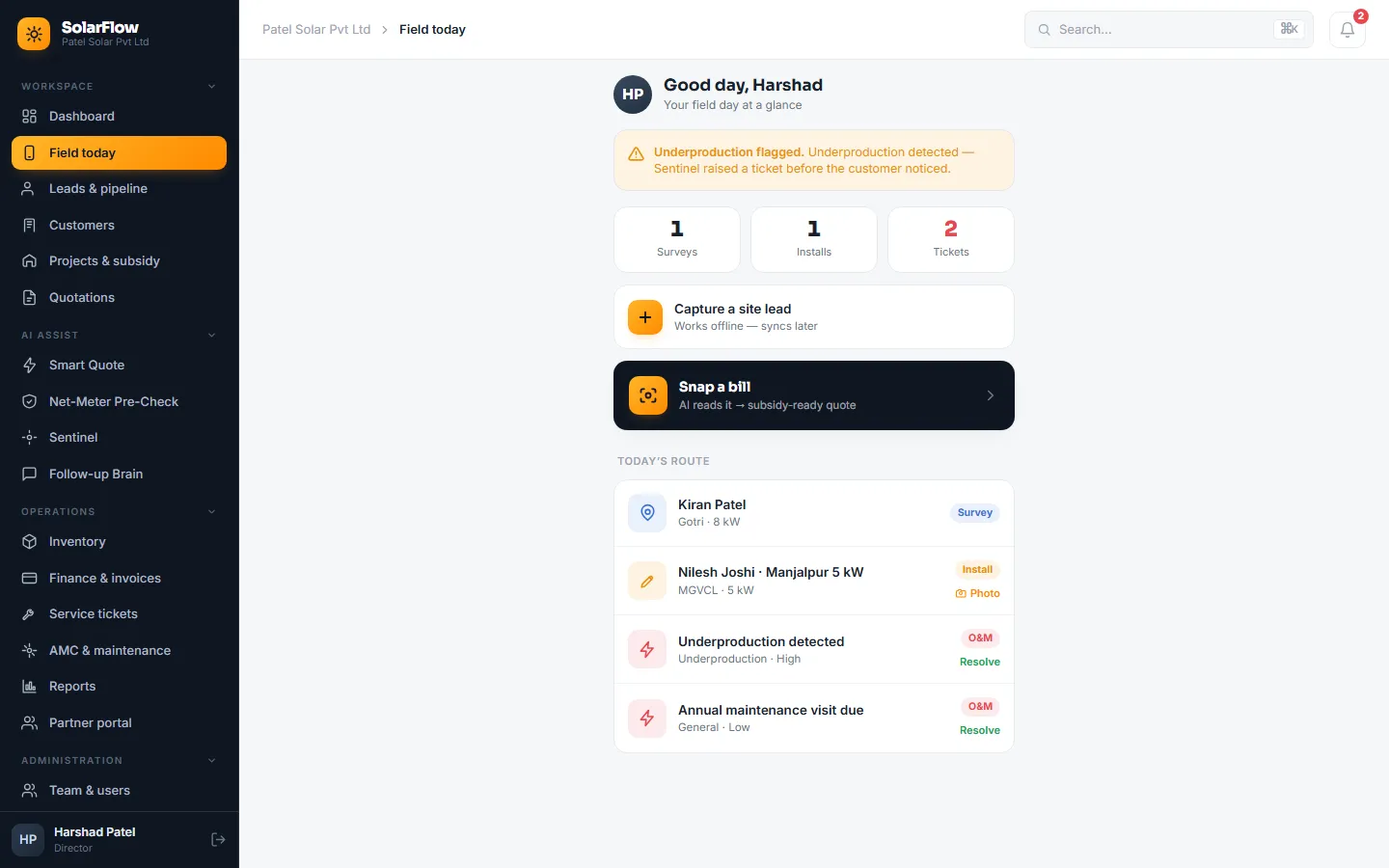
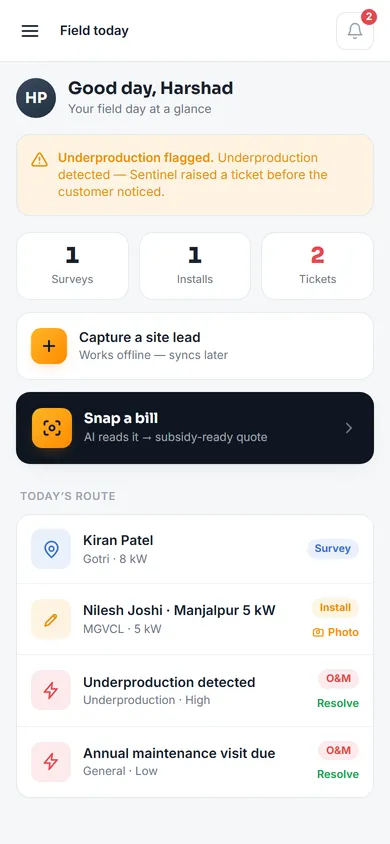
Surveyors and technicians work on a phone at the customer's site. Field today shows their route for the day, captures a site lead without a network connection and syncs it later, takes installation photos and sends a bill photo straight into Smart Quote. The app installs to the home screen, and every screen works at phone width.
- Offline lead capture
- Installation photos from site
- English, Gujarati and Hindi
08 · Configurable
Each installer works differently
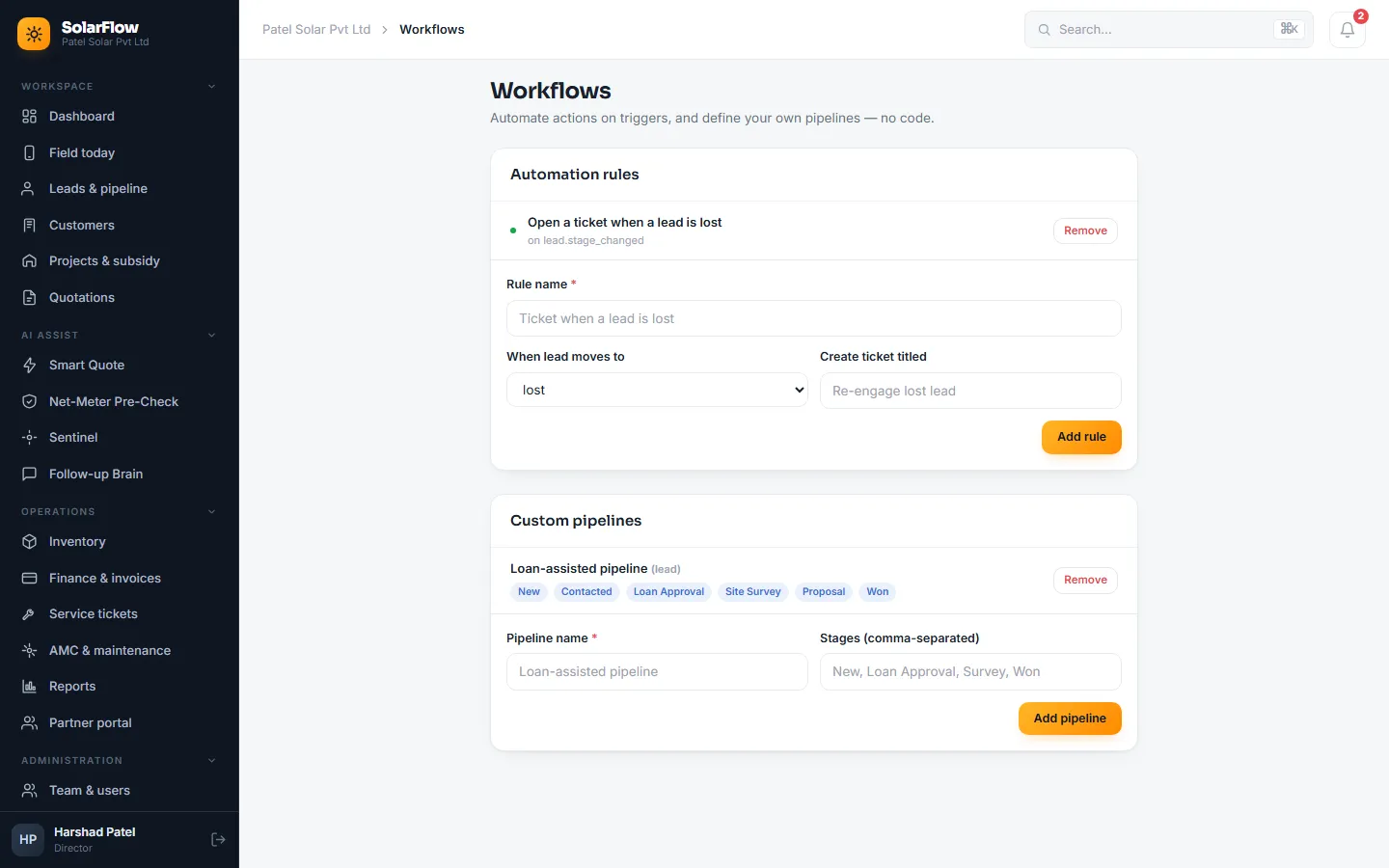
Workflows and automation rules (for example "when a lead is marked lost, open a re-engagement ticket"), custom pipelines, extra fields such as a DISCOM division, each company's own brand colours, and its GSTIN and GEDA licence number printed on documents. All without code.
// multi-company SaaS
Many installers, one platform, no shared data
Data kept apart in the database
Every company table carries a company ID, every query filters by it, and PostgreSQL row-level security enforces it even if a query forgets. Automated tests prove one company can't see another's data.
6 roles, 49 permissions
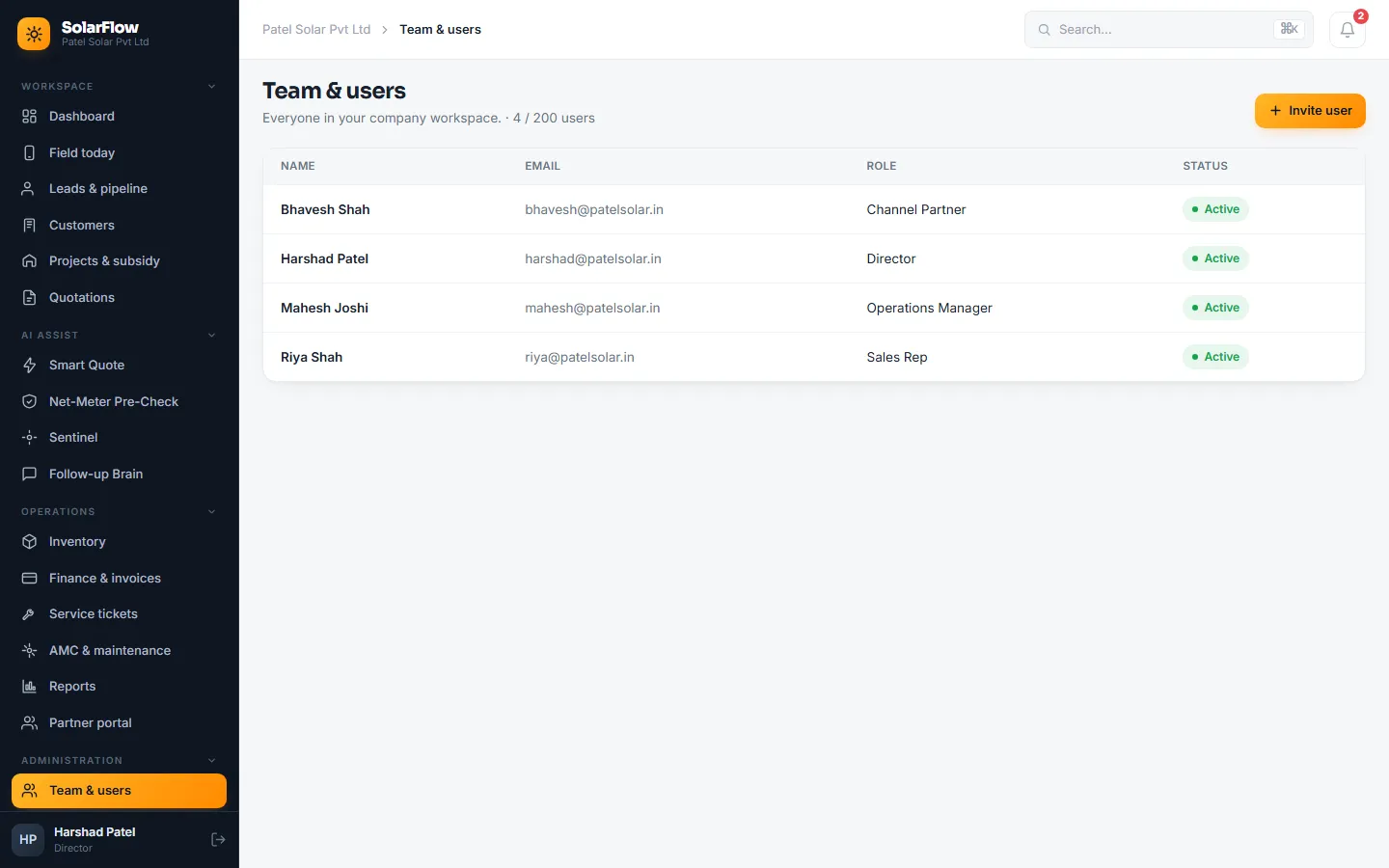
Director, sales rep, site surveyor, operations manager, accountant and channel partner, checked on every action. Each person's menu is built from what they may do.
Security
Two-step sign-in a company can require for all staff, an audit log, API keys and signed webhooks, and rate limits on sign-in and public routes.
Plans and modules
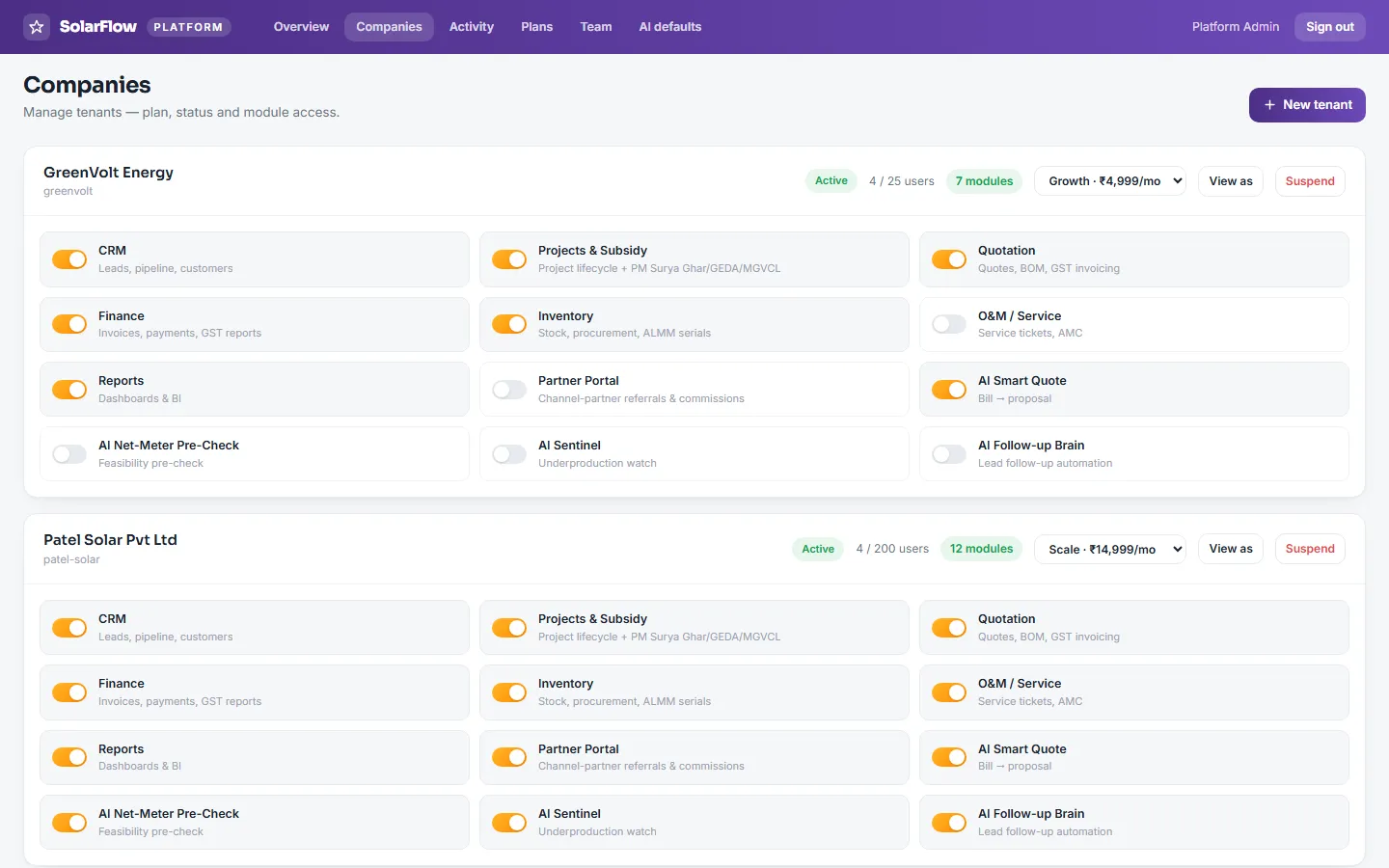
Free, Growth and Scale plans switch twelve modules on or off per company, with user limits and Razorpay subscriptions.
Platform console
The platform team manages companies, plans, modules and AI defaults, sees volume across companies, and can view as a company for support.
Technology
| Layer | Technologies |
|---|---|
| Web app | Vue 3 (Composition API, TypeScript), Vite, Pinia, Vue Router, Tailwind CSS with design tokens, PrimeVue |
| Field app | Installable PWA from the same code, with offline lead capture that syncs later |
| Backend | PHP 8.2+, Laravel 11 headless API in 12 modules, Sanctum, Spatie permissions and model states, two-factor sign-in |
| Database | PostgreSQL with row-level security and JSONB custom fields; per-company invoice and PO sequences |
| AI | Prism, with provider, model and key set per company or for the platform; bill reading as a background job |
| Documents | Server-side PDF proposals, GST invoices and subsidy application packs |
| Messaging & payments | WhatsApp and email through a pluggable gateway; Razorpay subscriptions |
| Quality | Pest feature tests, Playwright browser tests for every screen and flow, Pint, vue-tsc, GitHub Actions CI |
| Delivery | Docker images built by GitHub Actions, published to GitHub Container Registry, deployed to a VPS |
In numbers: 12 backend modules, 80 database migrations, 180 API endpoints, 45 screens, 3 languages, 407 automated backend tests and 135 browser tests.
Our role
Digital Web Weaver owns SolarFlow end to end:
- Product research into the PM Surya Ghar, GEDA and DISCOM process
- Requirements, UX and visual design
- The web and field front ends
- The API, the database and multi-company isolation
- The subsidy lifecycle engine and compliance rules
- The four AI assistants
- GST invoicing, inventory, service and reporting
- Testing, CI/CD and deployment
// solarflow-case-study.faq.md
SolarFlow case study FAQ
Can't find yours? Ask us directly — we reply within 24 hours.
Still deciding? Talk to a senior engineer.
No sales script — a real technical conversation about your project, free.
What is SolarFlow?
SolarFlow is a multi-company SaaS ERP and CRM for rooftop-solar installers in India, built and owned by Digital Web Weaver. It covers leads, proposals, the PM Surya Ghar subsidy lifecycle, GST invoicing, inventory, service and AMC.
How does SolarFlow protect the customer's subsidy?
Each project moves through six subsidy stages that can't be skipped, with required documents verified at each stage, ALMM-panel and sanctioned-load checks, and an AI Net-Meter Pre-Check that tests the application against common DISCOM rejection reasons before it is submitted.
Does the AI send anything to customers on its own?
No. Every AI result is a draft that a person reviews before anything goes to a customer or the DISCOM.
Can field staff use it without a network?
Yes. The field app installs to the phone's home screen and captures site leads offline, then syncs them when the phone is back online.
Which technologies is SolarFlow built on?
Vue 3 and TypeScript on the frontend, a Laravel 11 API on PHP 8.2+, PostgreSQL with row-level security, and Docker with GitHub Actions for deployment.
you@dww:~ $ ./contact --solar-or-saas
Run a solar business, or building a SaaS of your own?
See SolarFlow for your installation company, or tell us about your own product idea and get an itemised plan and fixed quote within 24 hours.
Fixed-price quotesSenior engineers onlyMulti-tenant SaaS