
Case study · salon booking, POS and back office
The Beauty Town: salon software that runs the whole studio
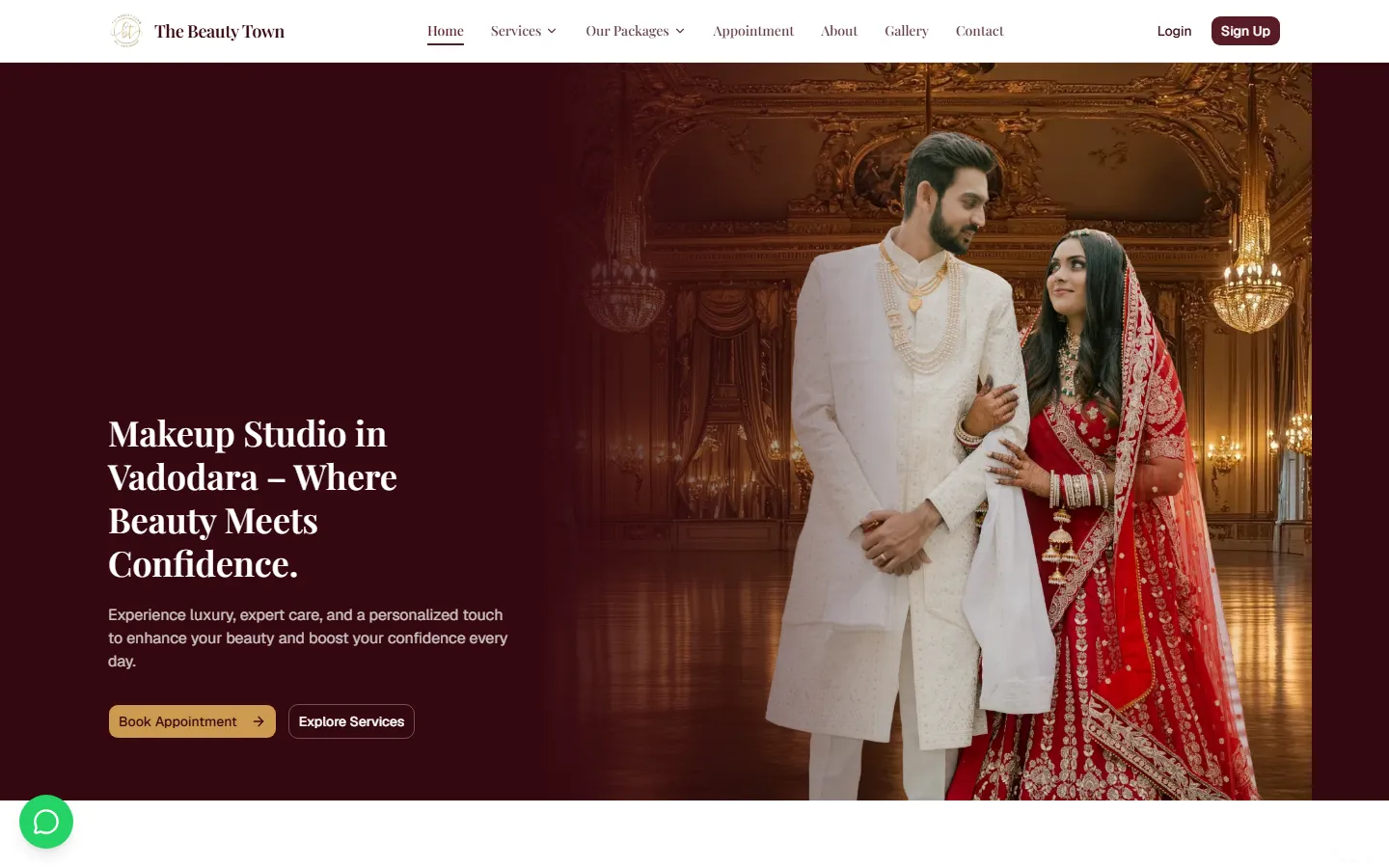
The Beauty Town, a makeup studio in Vadodara, ran on a register book, WhatsApp and guesswork. We built them one system the owner, the front desk and every stylist use every day: a public booking site, a point-of-sale ticket for walk-ins, staff scheduling, branded invoices, reports and a full audit trail.
In short
Digital Web Weaver designed and built The Beauty Town's salon software end to end: a public booking website, a Quick Bill point-of-sale screen for the front desk, an owner dashboard, appointments, sales and branded invoices, PDF and Excel reports, coupons, customer records and a full audit trail. It is a live system in daily use at the studio in Vadodara.
// the problem — a busy studio run from a notebook
What wasn't working
The team was busy, the customers were loyal, but nothing about the business could be seen, checked or trusted without asking someone.
No view of the business
Revenue, no-show rates and best-selling services lived in someone's head or a notebook, not anywhere the owner could check.
Billing by hand
A walk-in's bill was added up on paper: service price, an approved discount, a coupon if the customer had one.
A menu only a developer could change
Adding a category or repricing a service meant asking someone to edit code.
No record of who did what
A cancelled booking, a voided bill or a price override left no trace of who made it or when.
Phones, not desktops
The front desk runs the whole day from a phone, where dense admin tables and tiny buttons don't work.
Bookings spread everywhere
Appointments lived across WhatsApp chats and a register book, with no single view of the day for the team.
// what we built — one system, three workspaces
From the first booking to the end-of-day close
Customers book on the public site, the front desk bills from Quick Bill, and the owner checks the dashboard, reports and audit trail. Screenshots are from a demo environment with made-up customer data; the live system serves the studio's real business.
01 · Public site
A real booking site, not just a form
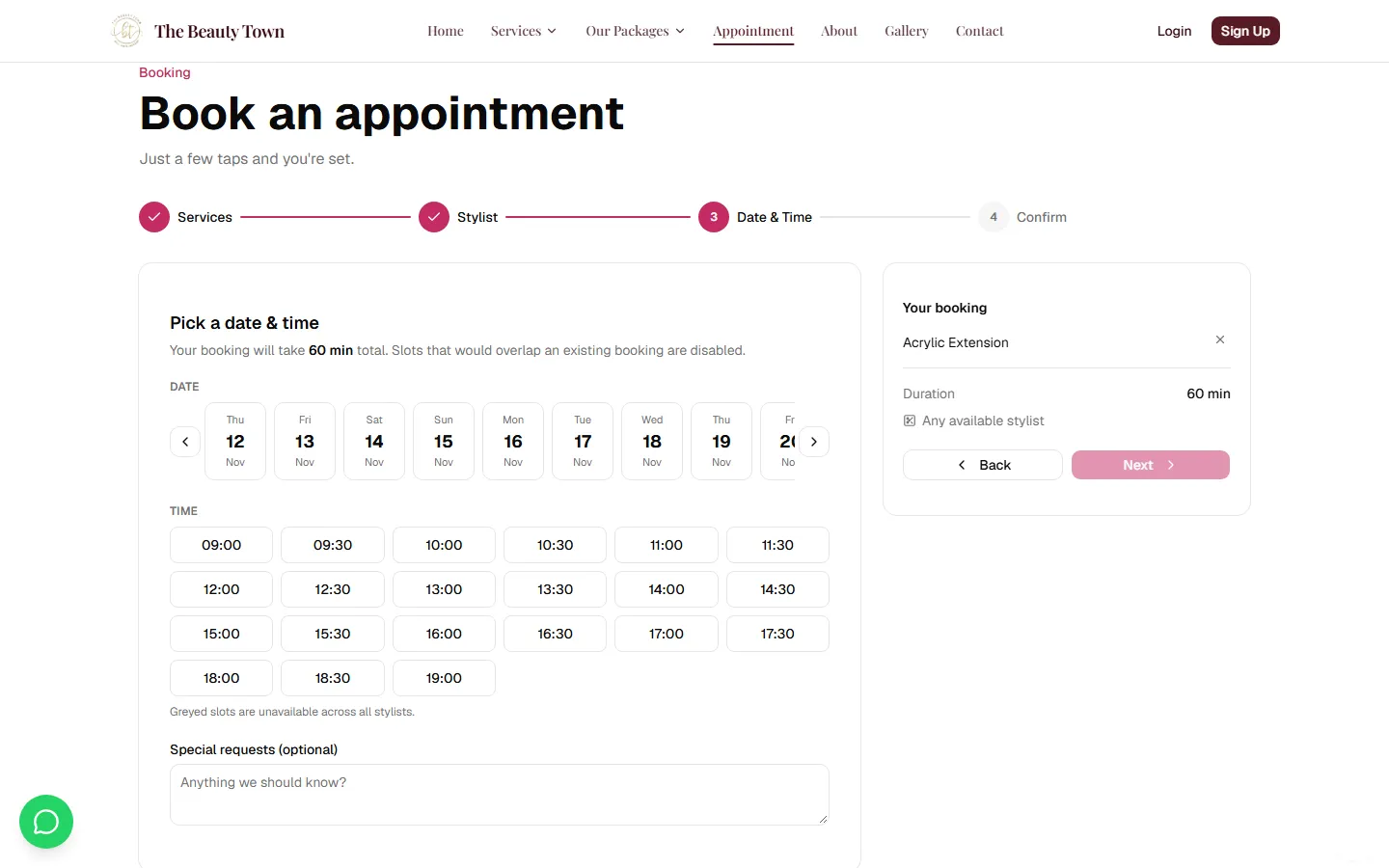
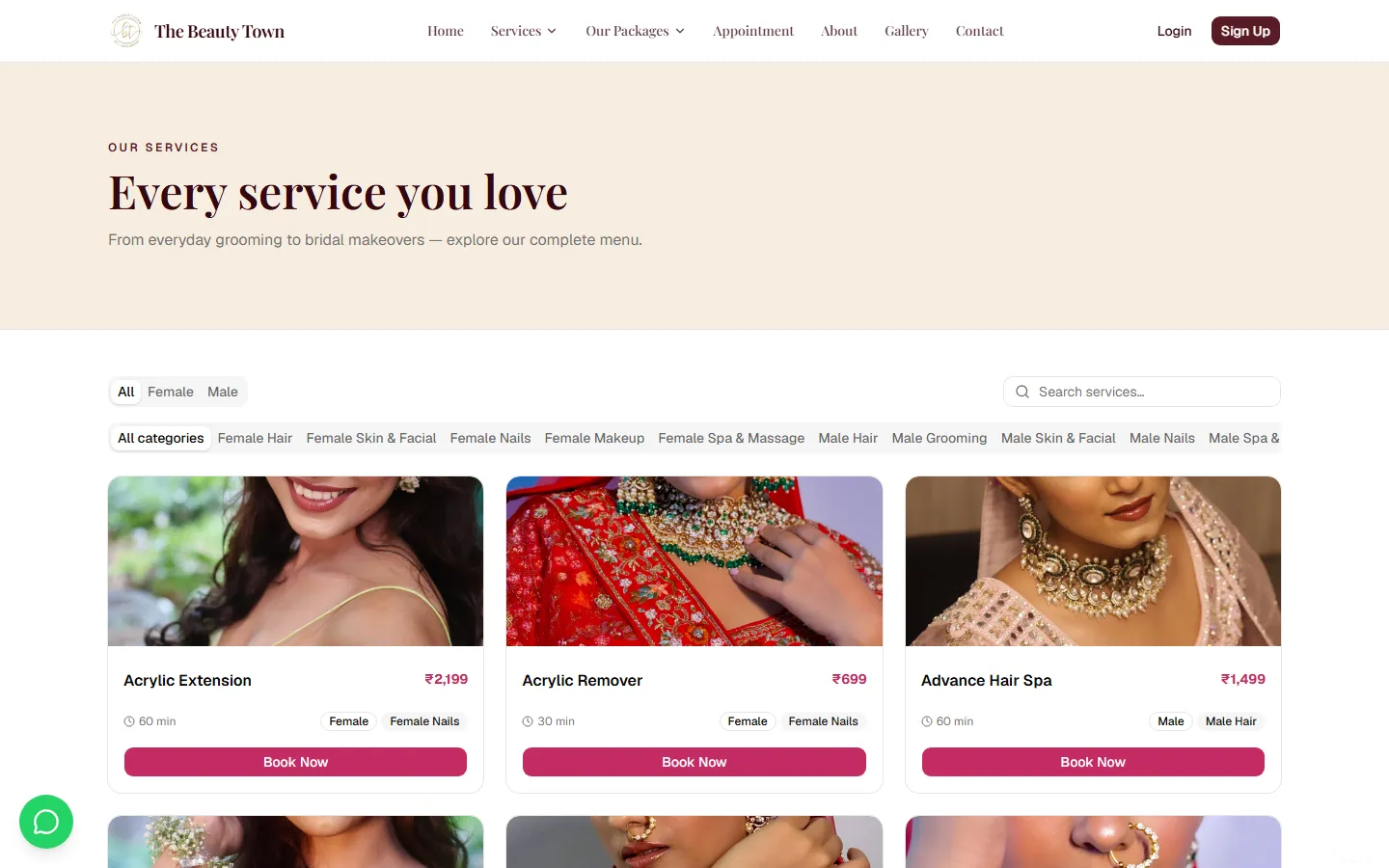
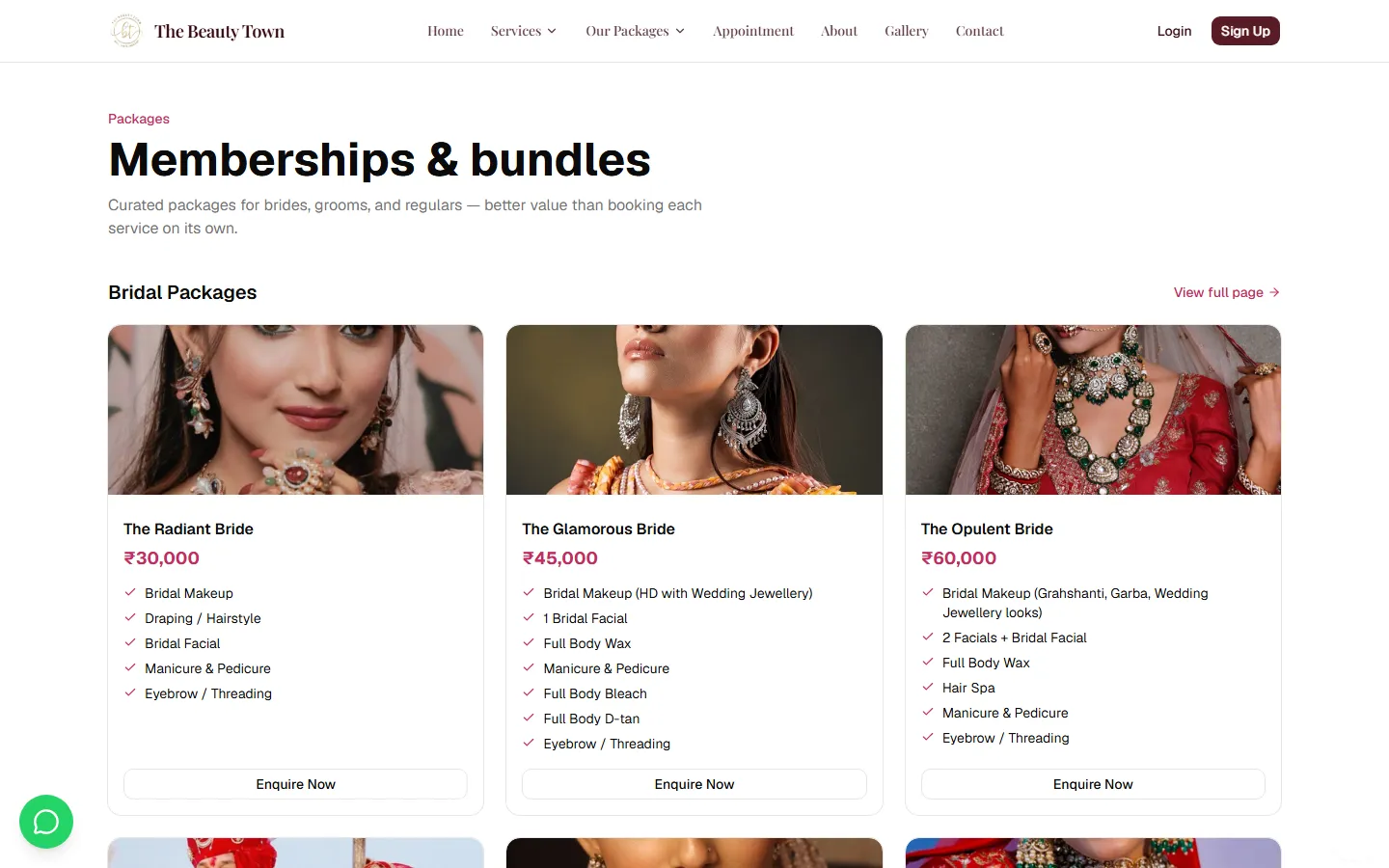
A full small-business website: services split by gender and category, bridal, groom and destination packages, a gallery, and a guided multi-step booking flow with a live "your booking" summary. The stylist picker respects everyone's actual schedule, so a customer can never take a slot that's already gone.
- Services and packages browsable by category
- Date, time and stylist in one guided flow
- No double-booking, by design
02 · Front desk
Quick Bill: the screen the front desk lives in
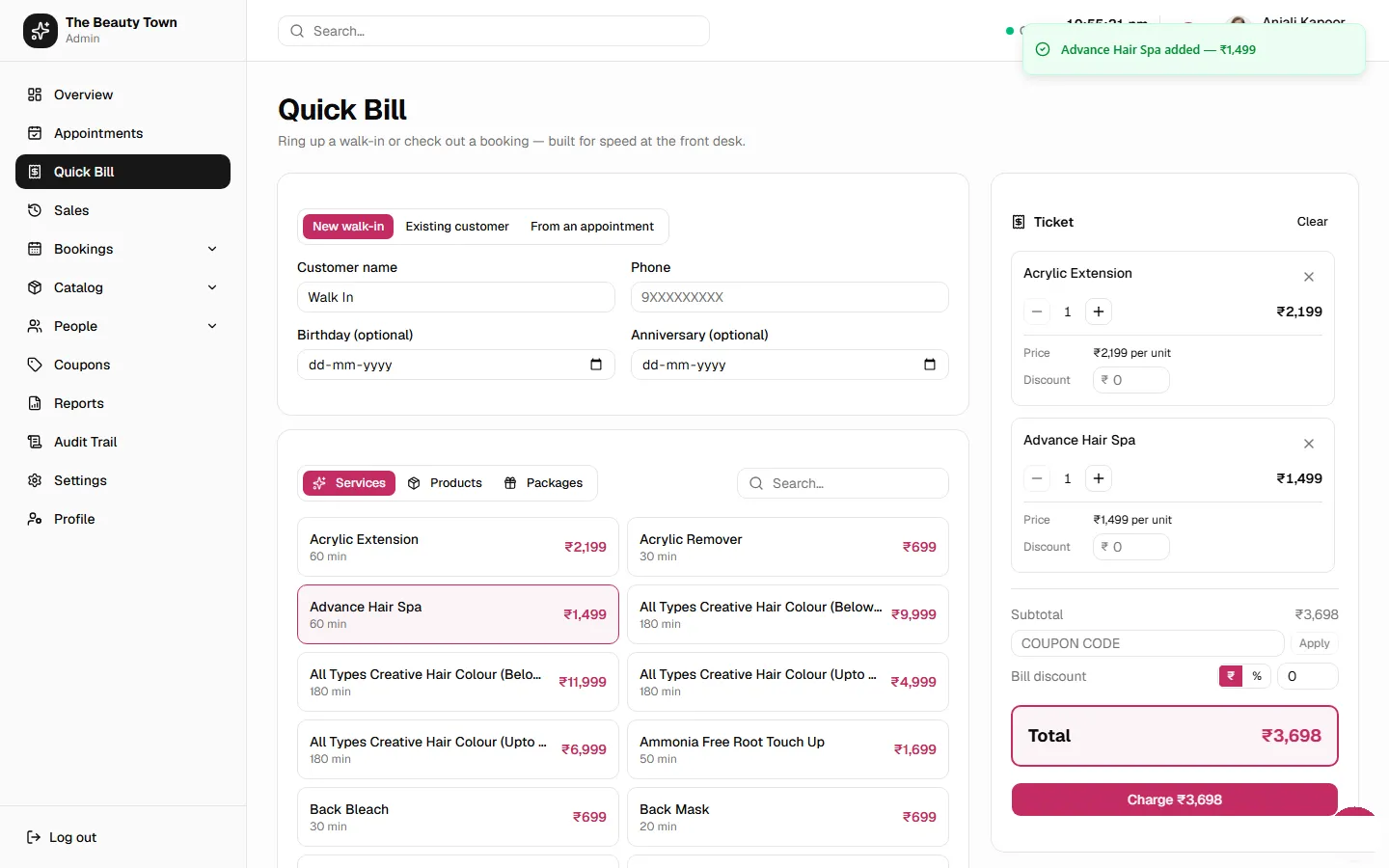
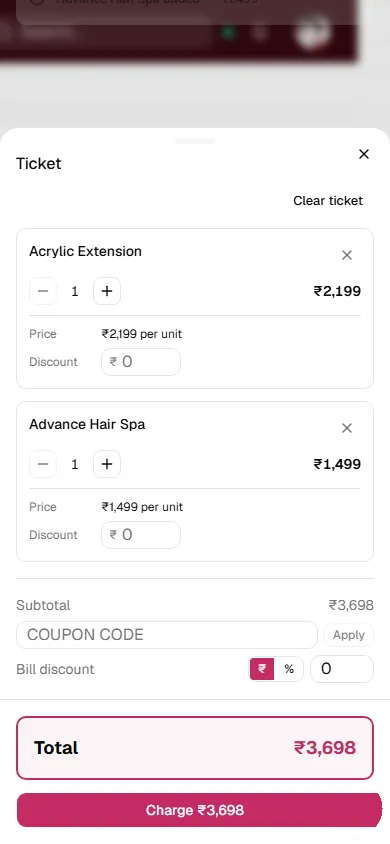
Ring up a walk-in, check out a booking or open a tab for an existing customer. Add services, products and packages to a running ticket, apply a bill or line discount, validate a coupon against the live cart, split a payment across cash, card and UPI, and print a POS slip or a full A4 invoice. It also captures a customer's birthday and anniversary, turning a one-off walk-in into a customer the salon can invite back.
- Discounts, coupons and split payments
- POS slip or A4 invoice
- Birthday and anniversary capture
03 · Owner
A dashboard the owner actually checks
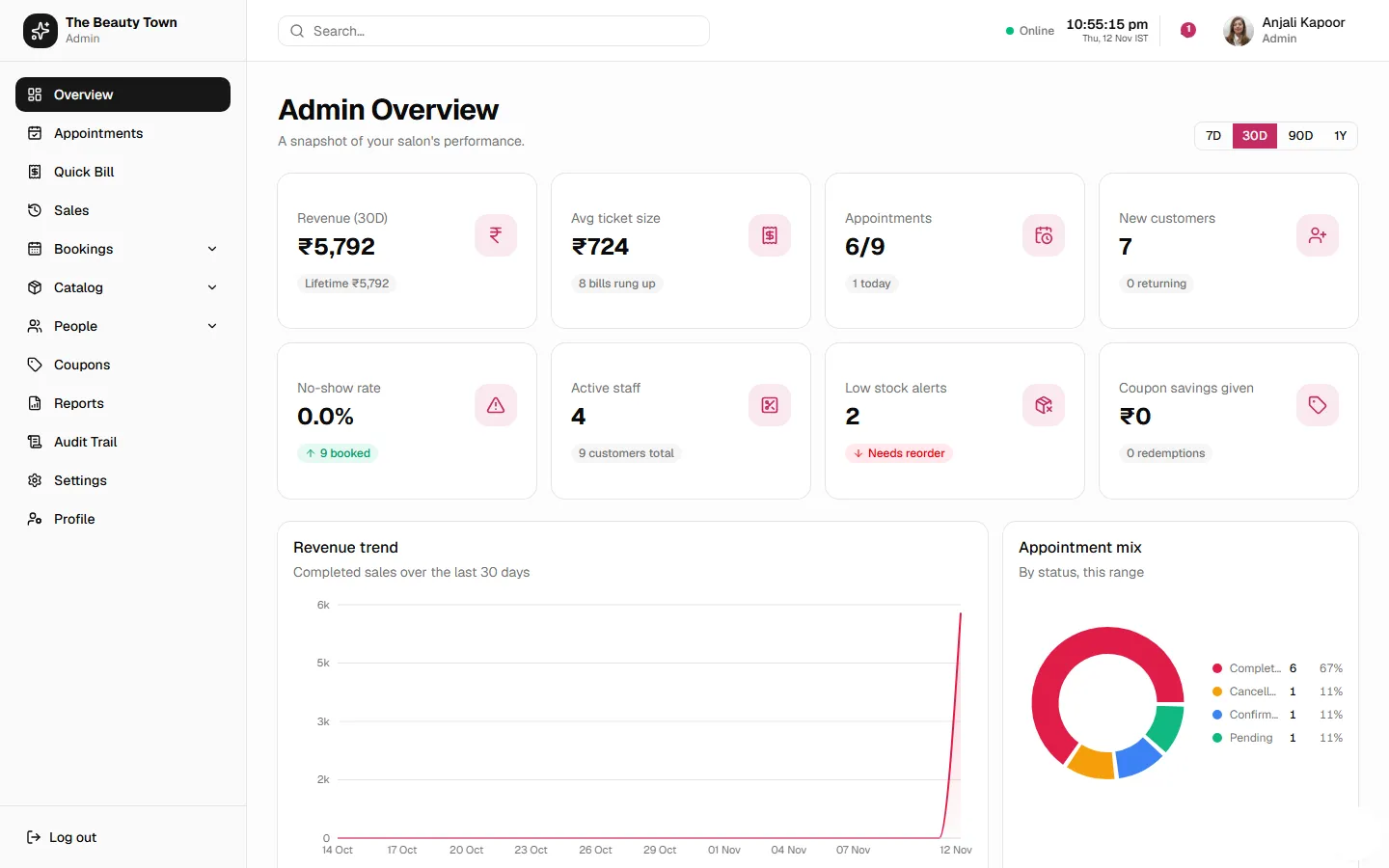
Revenue trend, average ticket size, no-show rate, low-stock alerts and the appointment mix on one screen, with a 7, 30, 90-day and 1-year toggle. "How's business?" answered without opening a spreadsheet.
04 · Appointments & sales
Every booking, every bill, every invoice
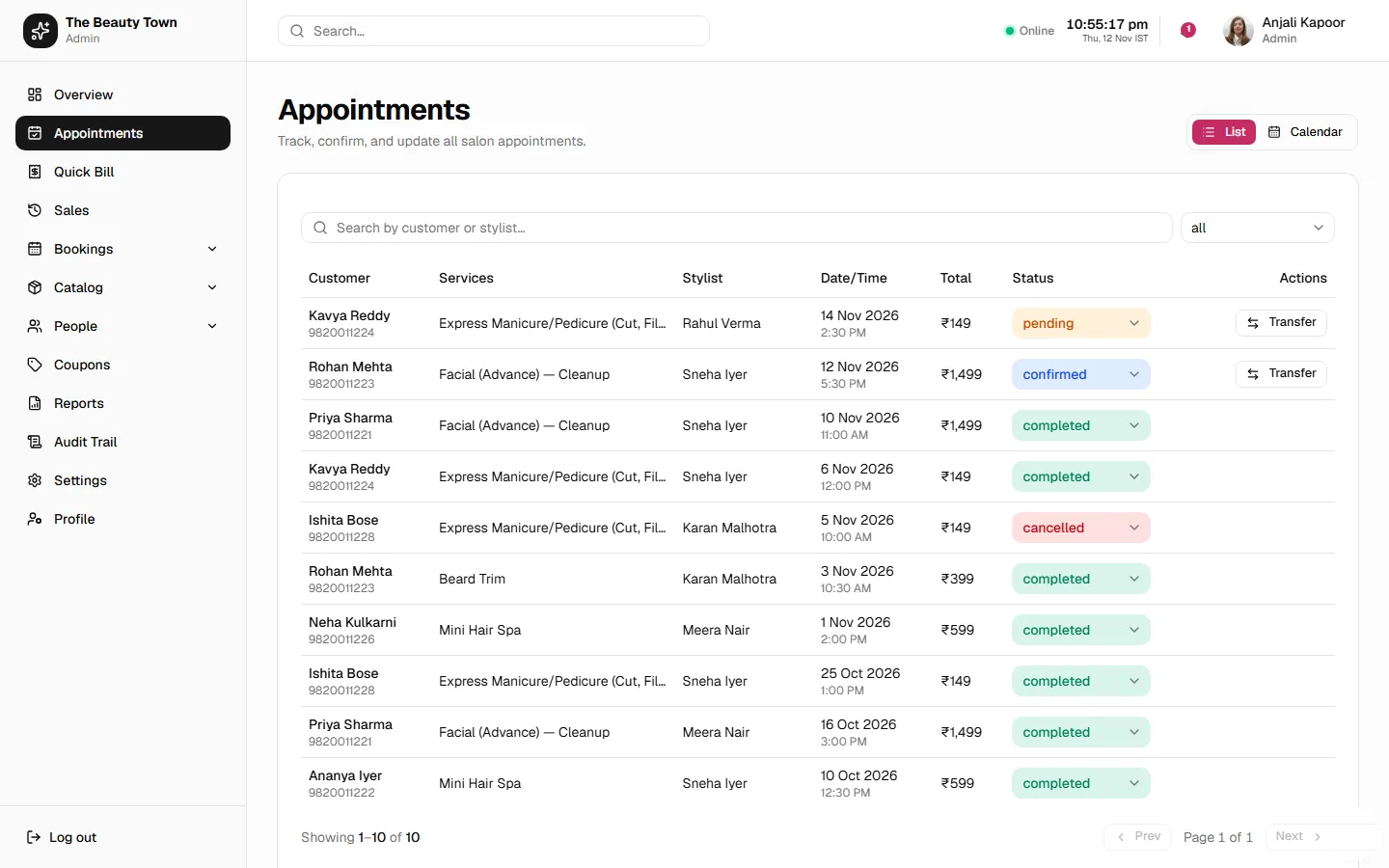
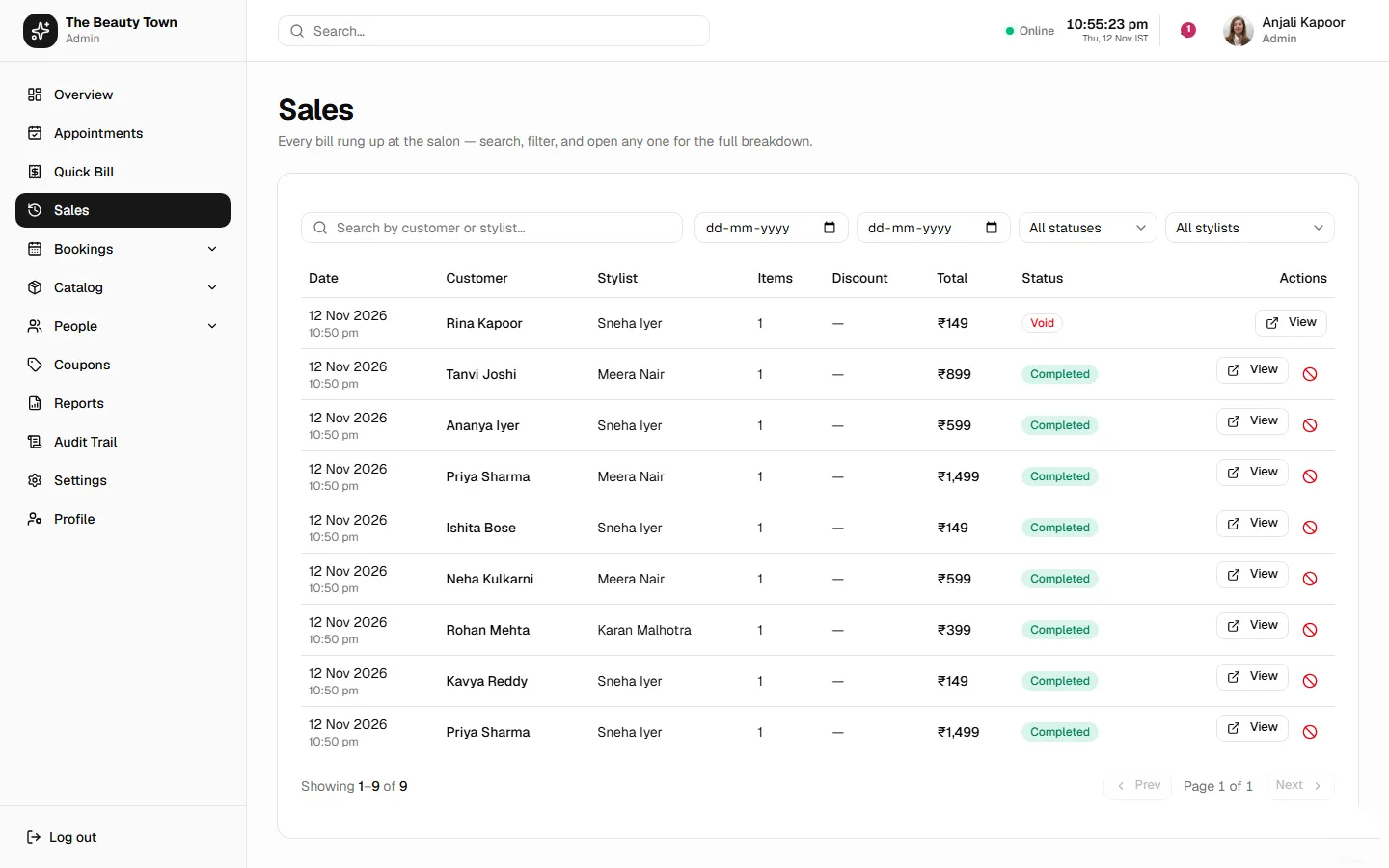
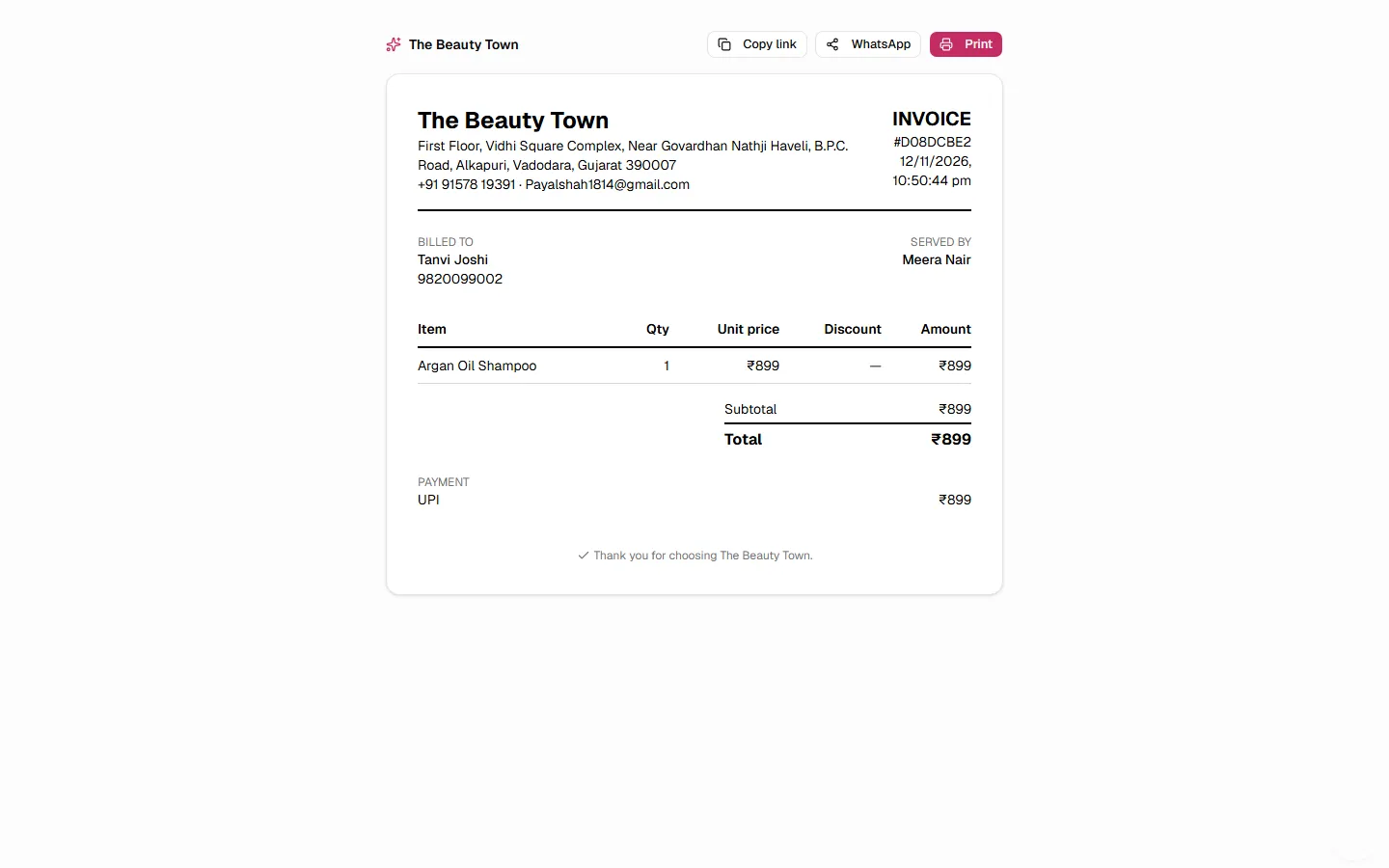
All bookings (pending, confirmed, completed, cancelled, no-show) live in one searchable table with inline status changes and transfers to another free stylist. Every bill is in Sales, filterable and reversible: voiding a sale leaves a record instead of making it disappear. Each sale gets a branded invoice to print, copy as a link or send on WhatsApp.
05 · Reports
Reports in the format the accountant wants
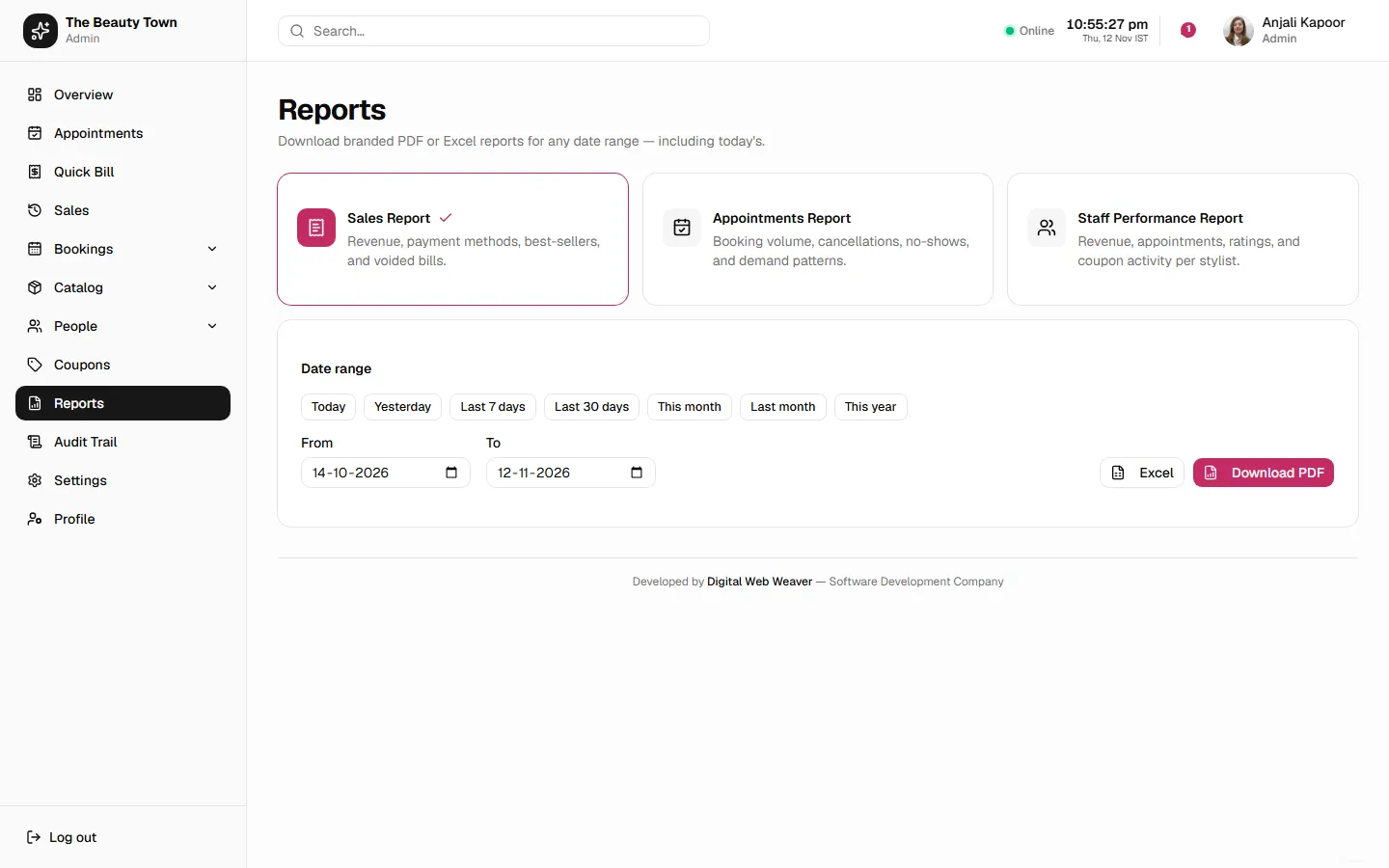
Sales, Appointments and Staff Performance reports for any date range, with one-click Today and Yesterday for the end-of-day close. Each exports as a branded PDF or a real multi-sheet Excel workbook with proper number formatting, not a CSV dump.
06 · Accountability
A full audit trail
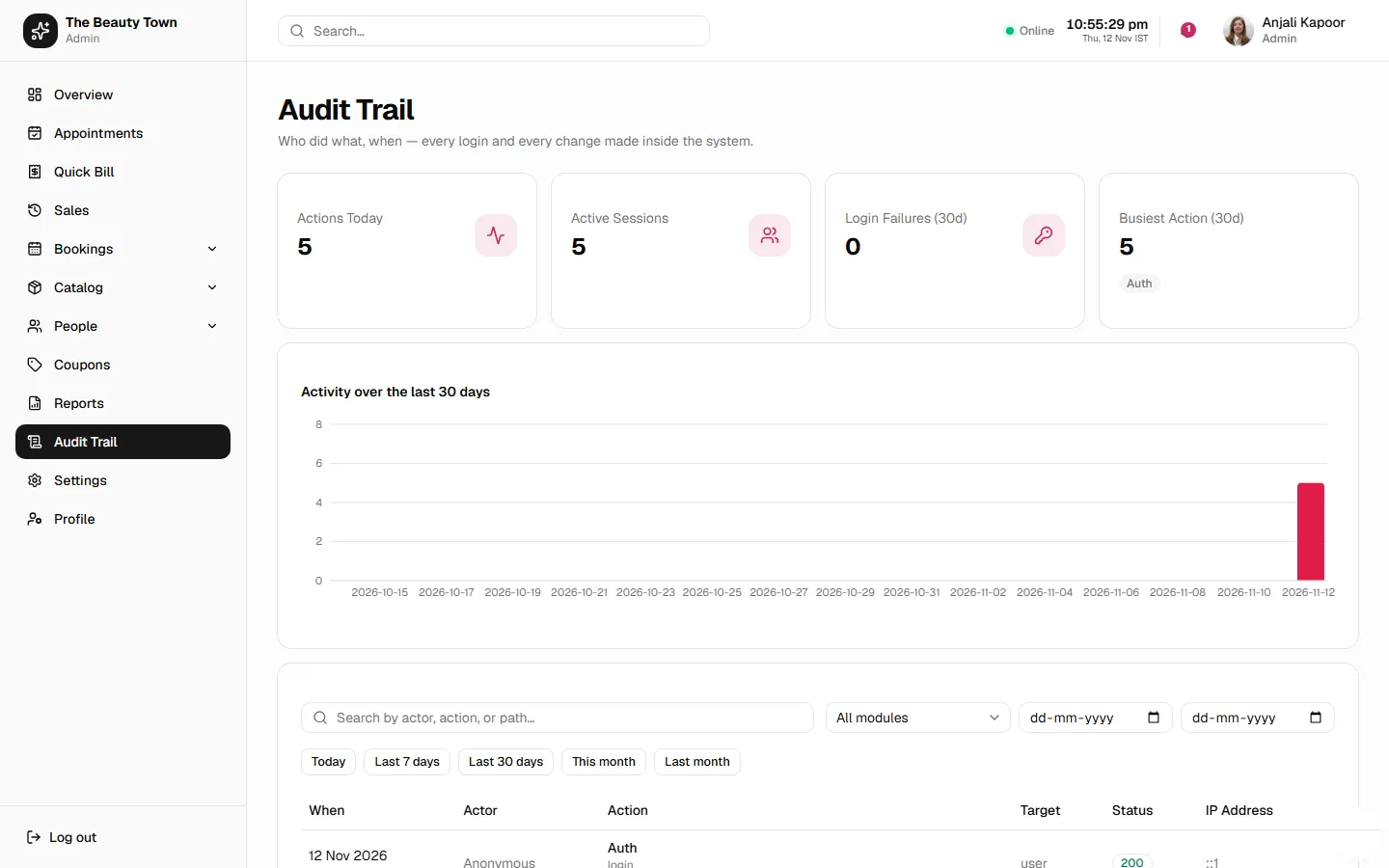
Every login, status change, void and setting change is recorded: who did it, when and from where. A dashboard shows daily activity, the most common actions and failed logins, answering a question the owner really had: how much is the system used, and by whom?
07 · Back office
A back office that doesn't need a developer
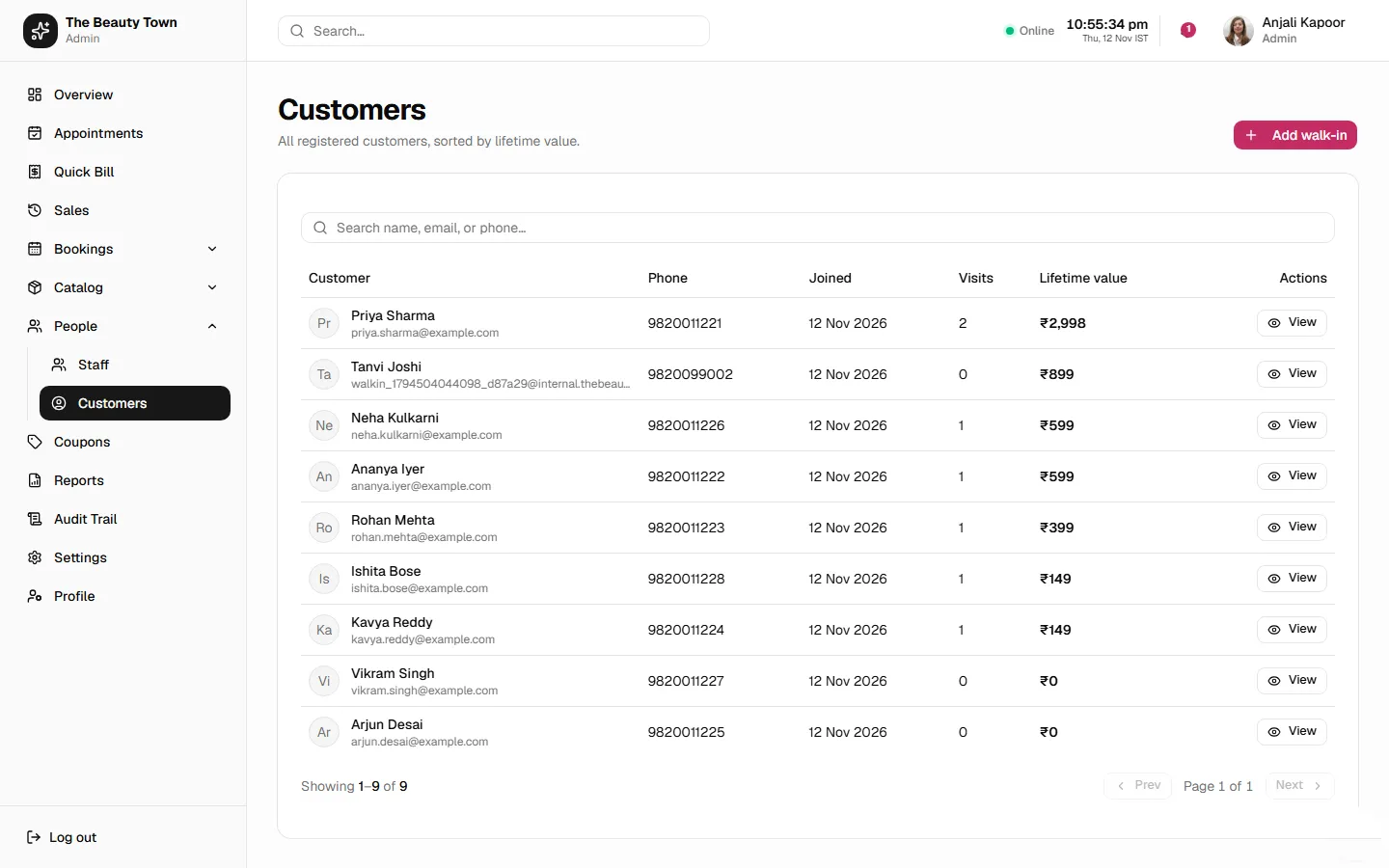
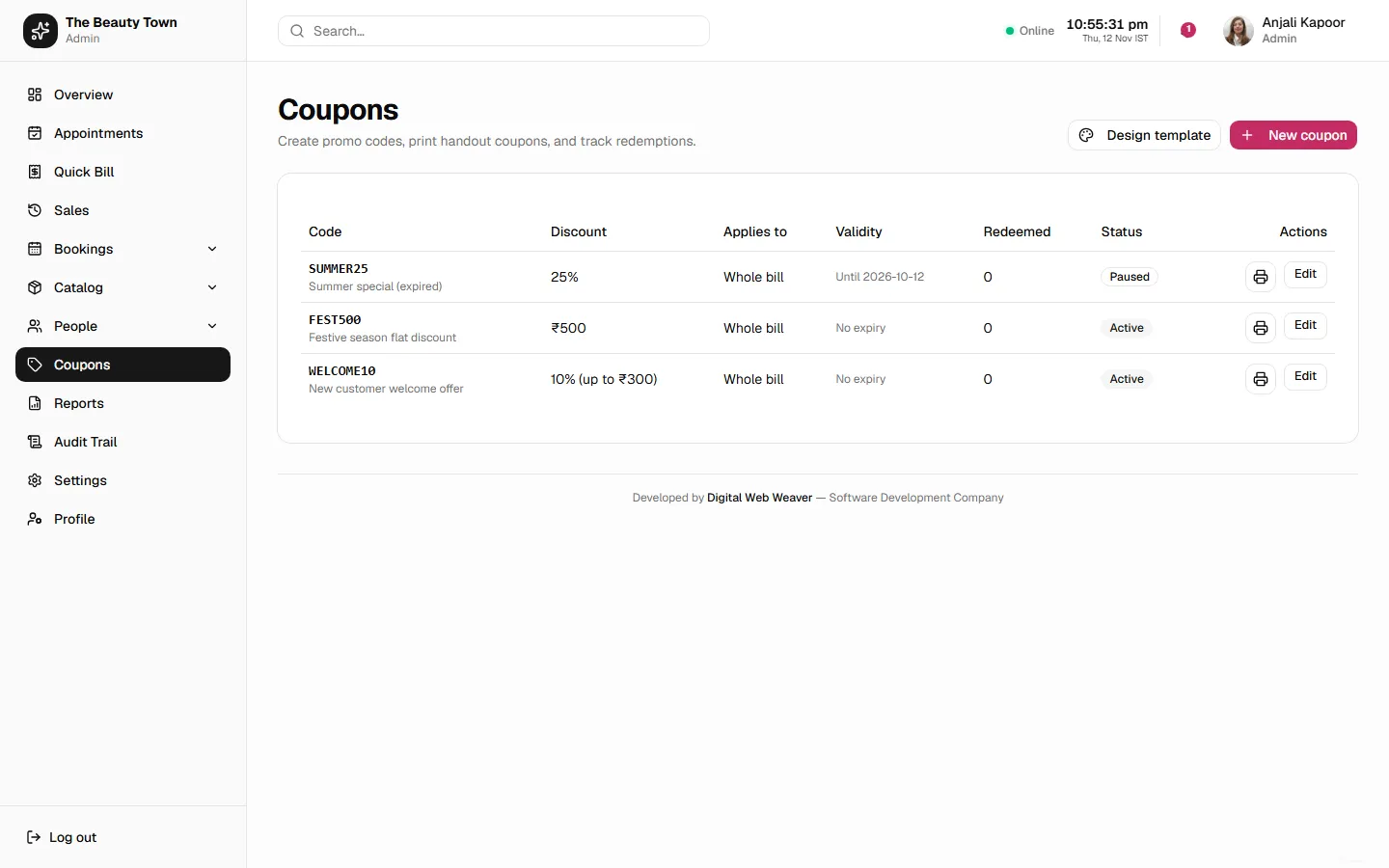
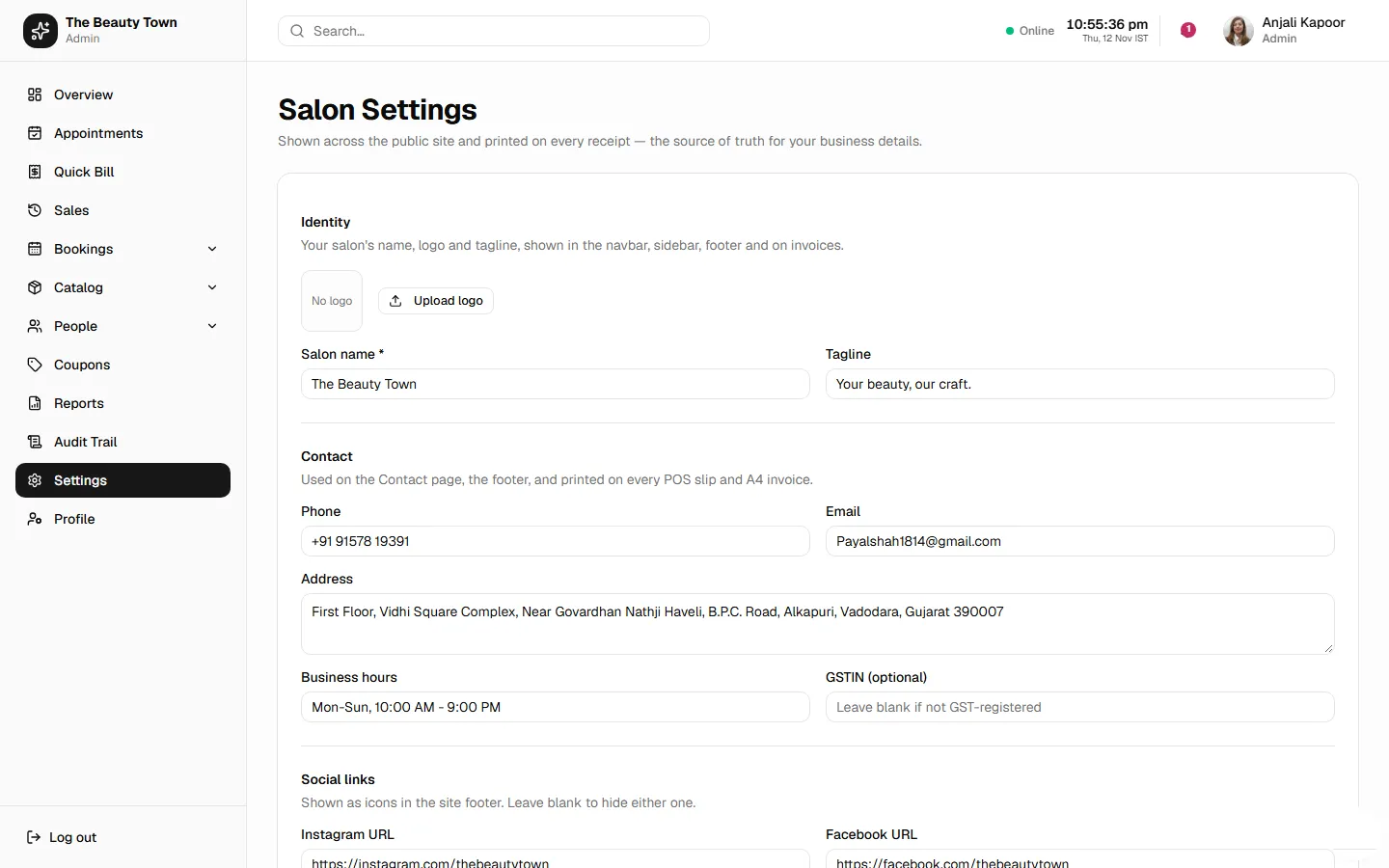
Services, categories, packages and inventory are all editable by the admin, with a category system that keeps the public site's filters working whatever an admin renames. Coupons come with a visual coupon-image designer, customers with lifetime value and visit history, and salon settings with the studio's own logo, sized correctly from the navbar to the printed invoice.
08 · Staff
A staff workspace that stays simple
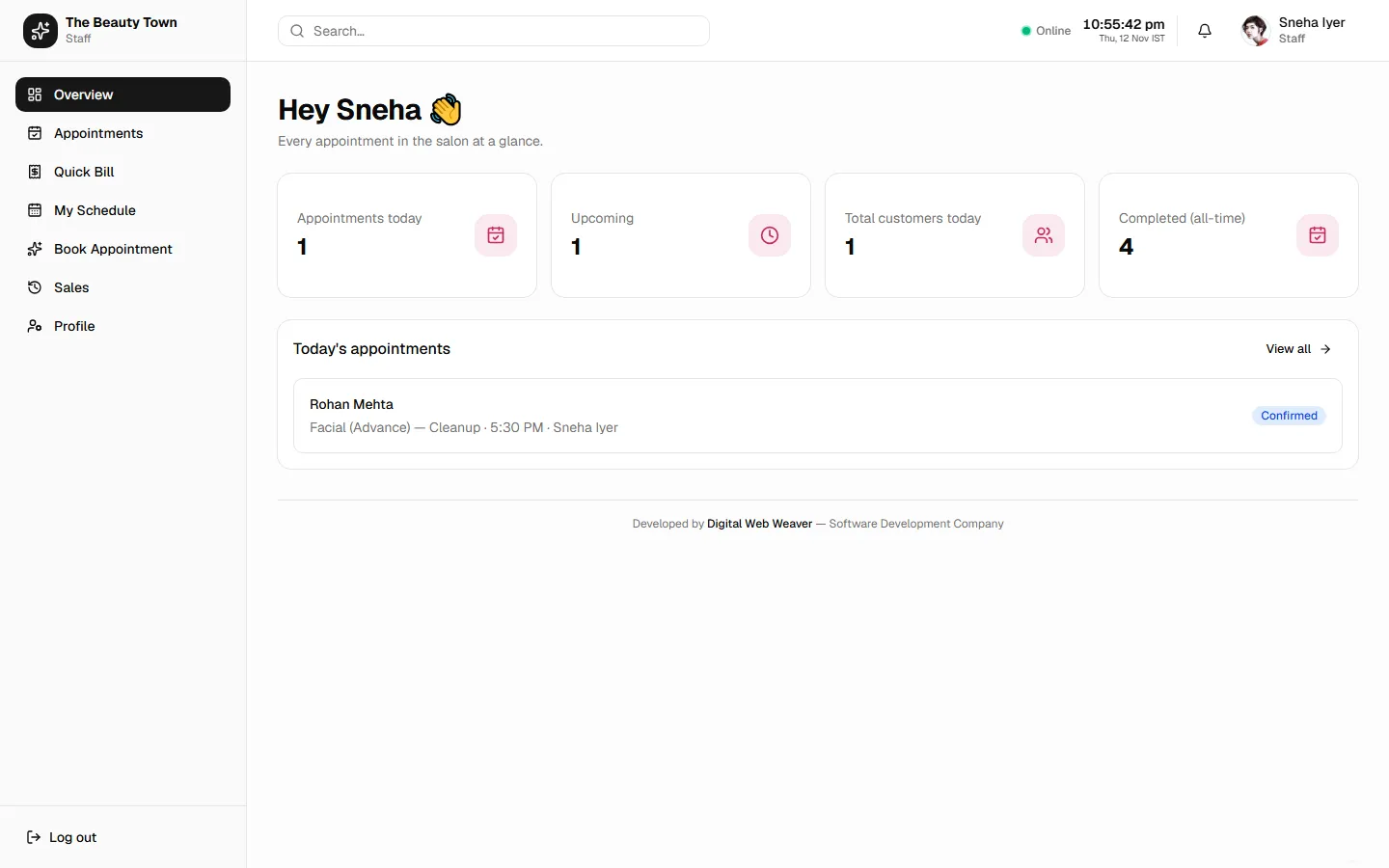
Stylists and front-desk staff get a focused slice of the same system: today's schedule, their own appointments, Quick Bill and their own sales, with none of the back-office screens they don't need. Quick Bill's ticket opens as a sheet on a phone with a sticky total and charge button, tested at five screen widths in a real browser.
// built for a real business, not a demo
Reliability, not just features
Role-based access
Customer, staff and admin roles enforced in the interface and on every API route.
Secure sign-in
JWT with refresh tokens, rate limiting and account lockout against brute-force attempts.
Installable app
A PWA with push notifications for appointment reminders and follow-ups.
Safe go-live
Test data cleared for the real client with a scripted, backed-up, dry-run-first migration, plus automated backups.
Continuous deployment
Every change ships through GitHub Actions to a Dockerised production server.
Tested money logic
Automated tests cover sale creation, stock guards, coupons, booking capacity and Excel report generation.
Technology
| Layer | Technologies |
|---|---|
| Frontend | React 19, TypeScript, Vite, Tailwind CSS v4, shadcn/ui, TanStack Query, Zustand, React Router |
| Backend | Node.js, Express, TypeScript, Zod validation, Winston logging |
| Database | PostgreSQL with versioned migrations (node-pg-migrate) |
| Documents | Branded PDF invoices and reports (@react-pdf/renderer), multi-sheet Excel exports (ExcelJS) |
| Auth & messaging | JWT and refresh tokens, bcrypt, Google sign-in, email OTP, web push, email |
| Delivery | Docker, GitHub Actions CI/CD, production VPS |
Our role
Digital Web Weaver owned the build end to end, working directly with the salon's owner through an iterative build-and-ship process:
- Product scoping against how the salon actually runs, not a generic template
- UX and visual design, including a mobile usability pass driven by screenshots the owner sent from the floor
- The public site, the booking flow and the whole staff and admin application
- The API, database schema and every migration
- The billing, coupon, reporting and audit-trail engines
- DevOps: Docker, CI/CD and the production go-live
Outcomes
- Bookings, billing and the back office moved from a register book and WhatsApp into one system the whole team uses daily
- The owner sees revenue, no-shows and stock on one dashboard instead of asking around
- Every bill, void and change is on record, with who made it and when
- The service menu, packages, coupons and prices are managed by the salon, without a developer
// beauty-town.faq.md
The Beauty Town case study FAQ
Can't find yours? Ask us directly — we reply within 24 hours.
Still deciding? Talk to a senior engineer.
No sales script — a real technical conversation about your project, free.
What did Digital Web Weaver build for The Beauty Town?
A public booking website and a staff and admin web app: online booking, a Quick Bill point-of-sale screen, appointments, sales and branded invoices, PDF and Excel reports, coupons, customer records, salon settings and a full audit trail.
Can the salon change its services and prices without a developer?
Yes. Services, categories, packages, inventory, coupons and salon settings are all edited by the salon's admin in the back office.
Does it work on a phone?
Yes. The front desk runs the day from a phone, so Quick Bill was rebuilt mobile-first with a tap-to-open ticket and a sticky total, and the app installs on the home screen as a PWA.
Which technologies were used?
React 19 and TypeScript on the frontend, Node.js and Express on the backend, PostgreSQL for the database, with Docker and GitHub Actions for deployment.
Can you build something similar for my salon?
Yes. SalonBook, our ready-made salon management software, covers booking, billing, packages and staff scheduling and can go live in 3–5 weeks, or we can build a custom system like this one.
you@dww:~ $ ./contact --salon-software
Want software that runs your salon like this?
Booking, billing, staff and reports in one system, built around how your studio actually works. Tell us about your salon and get a fixed quote within 24 hours.
Fixed-price quotesSenior engineers onlyMobile-first